Nullam dignissim, ante scelerisque the is euismod fermentum odio sem semper the is erat, a feugiat leo urna eget eros. Duis Aenean a imperdiet risus.

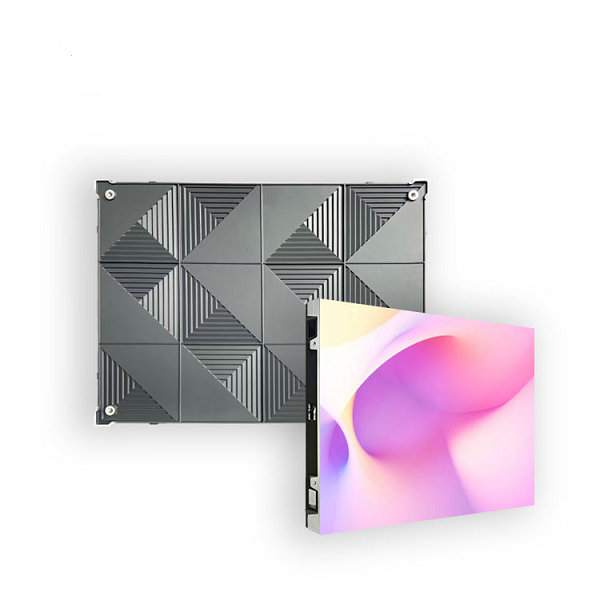
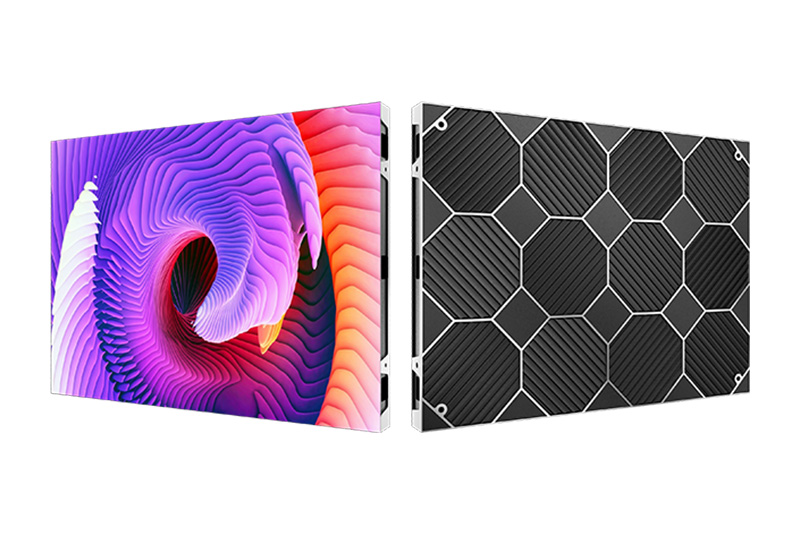
Back side
Main display
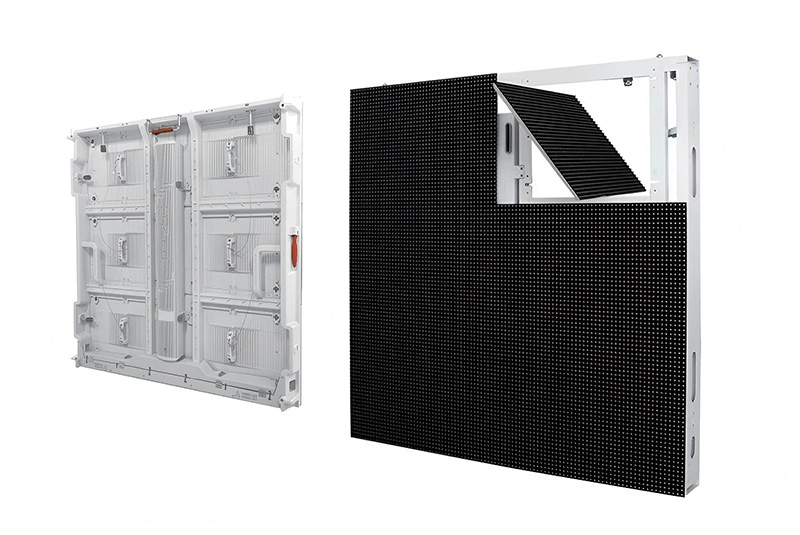
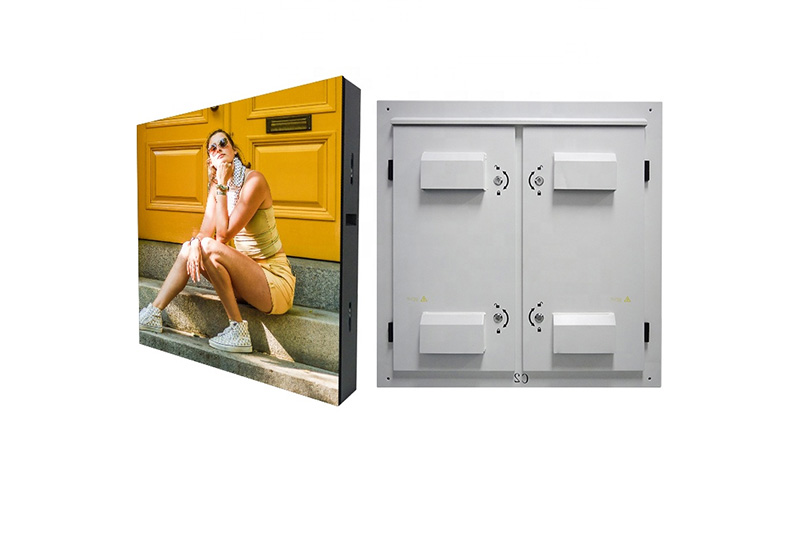
Rear side
Shape display
Back side
Main display
Rear side
Shape display

500mm Curved Stage Rental LED Display

Pitch: P2.604, P2.976, P3.91, P4.81

Product introduction

We possess an inventory of LED Video Wall with 2.6mm, 2.9mm, 3.9mm, 4.8mm pitch. The multiple pixel pitch is able to suit various application which requires near viewing distance ranging from corporate conference, trade-shows booths, roadshows and concerts.


Curved Stage Rental LED Display b34


Features:

Curved Stage Rental LED Display b35 Curved Stage Rental LED Display b36 Curved Stage Rental LED Display b37 Curved Stage Rental LED Display b38Curved Stage Rental LED Display b39 Curved Stage Rental LED Display b40Corner Protection For LED Panel

There are four protection equipment for LED cabinet corners, protect the LED from damage during transportation and installation.

Curved Stage Rental LED Display b41

Our mounting method for rental series include hanging, floor standing and wall mount. In addition, we also provide customized backdrops to mount LED video wall to suit your event needs.

Curved Stage Rental LED Display b42

Product parameter list

Product No.

P2.604 P2.976 P3.91 P4.81
LED Lamp SMD1515 SMD2121 SMD2121 SMD2121
Pixel Density 147456Pixels/m² 112896Pixels/m² 65536Pixels/m² 43264Pixels/m²
Module Resolution 96*96 Pixel 84*84 Pixel 64*64 Pixel 52*52 Pixel
Module Size 250*250mm
Cabinet Size 500*500mm / 500*1000mm
Refresh Rate 1920Hz / 3840Hz
Cabinet Weight 6Kg / 13Kg
Maintenance Mode Front / Back service
Cabinet Material Die-casting aluminum
Power Input AC110-240V,50-60Hz
Latest Product

Check out our Product

View More
Hight Resolution Led Panel

Fixed Installation LED Cabinet P1.8 Indoor LED Display

<p>P1.8 Fixed Installation LED Cabinet delivers ultra-HD indoor display with seamless splicing, high refresh rate, and reliable performance for conference rooms, control centers, and commercial spaces.</p> <p>Fixed Installation LED Cabinet P1.8 Indoor LED Display is an indoor fine-pitch LED display developed for close-viewing indoor video walls and high-detail display projects. It targets buyers comparing P1.8 indoor LED display options by application, installation method and published product specifications.</p> <p>lists Pixel pitch: 1.25mm | 1.53mm | 1.86mm | 2.5mm; Pixel density: 6400000 | 425000 | 288906 | 160000;</p> <p>Module Size(mm): 320*160; LED package: SMD1010 | SMD1212 | SMD1515 | SMD2020;</p> <p>Module resolution: 256×128 | 208×104 | 172×86 | 128×64.<br /> For a reliable project configuration, evaluate viewing distance, pixel pitch, cabinet flatness, resolution, refresh rate, installation depth and maintenance access. The final model and bill of materials should be confirmed against the installation drawing and operating conditions before production.</p>
Read More
Outdoor energy-saving LED screen cabinet with front and rear service structure

Outdoor energy-saving LED screen

<p>Outdoor Energy-Saving LED Screen is designed for fixed outdoor advertising and commercial display projects that require high brightness, lower power consumption and reliable weather resistance.</p> <p>The 960x960mm aluminum cabinet supports front and rear service, IP66 waterproof protection and efficient heat dissipation.</p> <p>Buyers should confirm pixel pitch, brightness, cabinet size, maintenance method, control system and installation environment before quotation.</p>
Read More
led1

Indoor P1.25 HD Small Spacing LED Display Panel

<p>Indoor P1.25 HD LED Display Panel delivers ultra-clear images with seamless splicing, ideal for premium Small Pitch LED Display applications.</p>
Read More
Fixed Outdoor LED Display Billboard1

Outdoor P5 LED Display Billboard Fixed Installation

<p>Outdoor P5 LED Billboard with high brightness, IP65 protection, and fixed installation for reliable outdoor advertising displays.</p>
Read More
Latest News

Check out our blog posts

View More

6/ November

How to Verify Outdoor LED Screen Brightness and IP66 Protection Before Handover

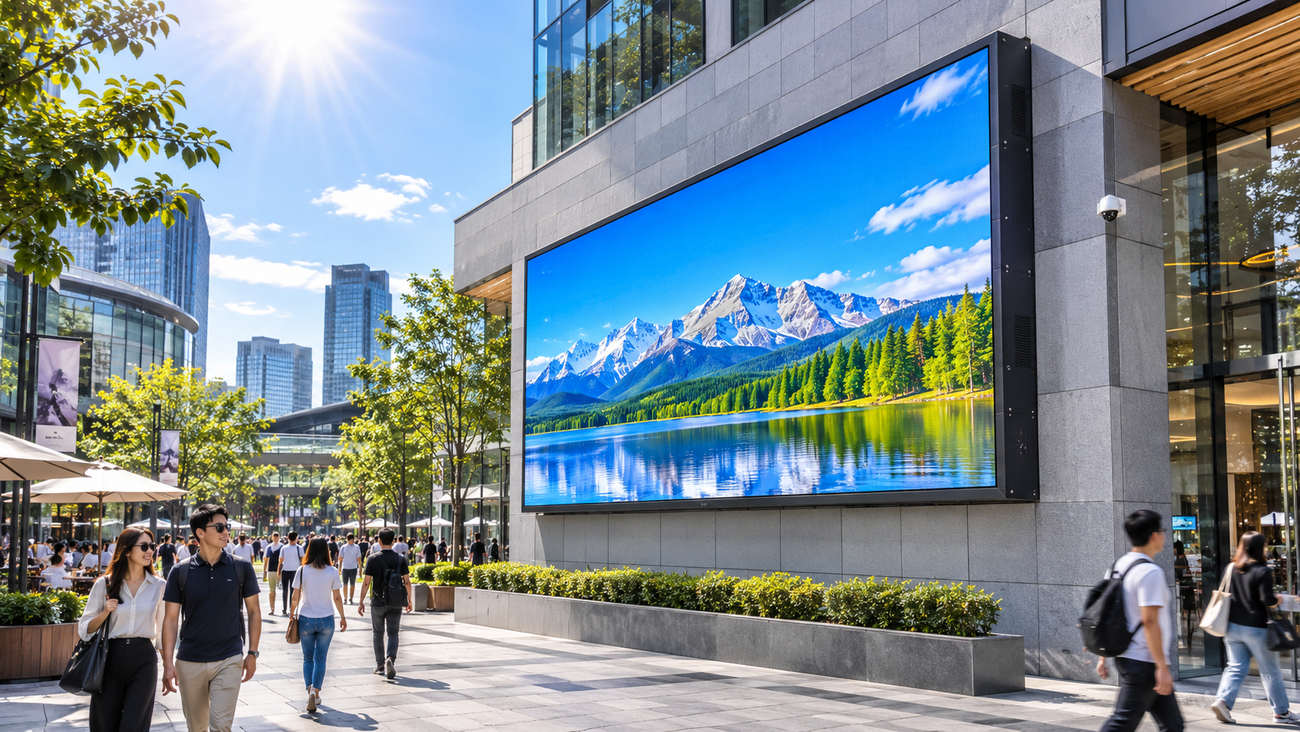
A fixed outdoor LED screen can pass a factory inspection and still disappoint on its first sunny afternoon. The image may be difficult to read from the pavement; a cable gland may sit where rainwater collects; or the night-time setting may be uncomfortable for nearby windows. None of those problems can be settled by the words “high brightness” and “IP66” on a quotation. The useful question is not whether the catalog has the right numbers. It is whether the installed wall performs as agreed at the real site. This guide separates the evidence a buyer should obtain from a manufacturer from the checks an installer can complete before handover. Figure 1. Illustrative outdoor LED display in a retail plaza; application visualization, not an actual project photograph. First, distinguish a cabinet specification from a site acceptance result Brightness is usually stated as luminance in cd/m², commonly called nits. It describes light emitted toward an observer, not the amount of sunlight falling on the screen. IP ratings describe the resistance of an enclosure under defined test conditions. Neither number, by itself, verifies that a finished display has the right contrast, drainage or cable-entry protection. Longcheng’s ES960 outdoor energy-saving LED screen lists 5,000 cd/m² for P4.4, 5,500 cd/m² for P5.7 and P6.67, and 6,000 cd/m² for P8 and P10. The same published table lists IP66 cabinet protection, a refresh rate of at least 3,840 Hz, and front-and-rear service access. Those are product-family references; the accepted configuration, measurement conditions and installation details still need to be documented. How should outdoor LED brightness be checked on site? A useful brightness test has two parts. First measure the screen under repeatable conditions, so a later service visit can reproduce the result. Then judge legibility in the lighting conditions people will actually encounter. Mixing the two can produce a flattering measurement without answering the operator’s problem. Record a repeatable measurement, not just a peak number Use a calibrated luminance meter and follow the agreed measurement method. Record the selected model and pixel pitch, the brightness-control setting, the test image, the viewing geometry, the meter, and the screen’s warm-up state. Take readings at agreed representative positions rather than one convenient bright spot. For uniformity, compare the positions with the tolerance agreed before testing; the product page does not publish a project acceptance tolerance. A full-white pattern is useful for documenting a high-output state, but it does not represent ordinary advertising. Repeat the observations with actual campaign content, including the smallest approved text, low-contrast images and the darkest background expected in service. Record both the measurement and whether the message can be read from its planned audience zone. Observe the wall in the light it will face A screen that looks strong at dusk may lose contrast when low-angle sunlight strikes the face. If the site permits, view it from the primary approach during the hours that create the worst glare. Note the sun direction, nearby reflective glass, display angle and content shown. Do not substitute a casual noon photograph for the controlled luminance measurement: a camera’s automatic exposure can conceal the difference between two settings. At night, test the scheduled dimming or ambient-light response rather than leaving the daytime output in place. Confirm how the controller behaves when a sensor is shaded, disconnected or reporting an implausible value. Local brightness restrictions may also apply; the correct night setting is a site decision, not simply the cabinet’s maximum capability. Figure 2. Illustration of a site luminance and daylight-readability check. Any numerical readings shown are fictional examples, not product test data. What does IP66 establish—and what does it not? Under IEC 60529, the first “6” means dust-tight protection and the second “6” addresses powerful water jets under standardized conditions. It does not mean the screen is qualified for immersion or that any installer may spray a powered wall with high-pressure cleaning equipment. Intertek’s explanation of IP testing is a useful reference for what the enclosure code measures. The important distinction is the test boundary. An IP66 cabinet can be joined to an inadequately protected site connector or penetrated by a poorly sealed cable entry. A complete outdoor wall also has structural joints, access doors, cable paths and interfaces with the mounting frame. Those details are not automatically certified because the cabinet carries a rating. Figure 3. Illustration of cabinet seals, cable entry and drainage inspection; not a certified IP66 laboratory test or an ES960 product photograph. Inspect the places where the site changes the enclosure Cable glands, connector housings and unused openings: confirm the actual fittings and installation method used, not only their catalog rating. Cabinet seams and access doors: check seating, damage, compression and the manufacturer’s prescribed sealing procedure before closing the wall. Water paths: look for exposed upward-facing connectors, trapped water, blocked drainage and routes that could carry runoff into a power box. Service work: verify how a technician can reopen and reseal the unit without compromising the approved installation. Keep any controlled water-ingress test within an approved method, with suitable isolation and qualified personnel. A field hose test is not a substitute for a documented IEC 60529 laboratory result. After approved testing or rainfall, an electrician should investigate signs of moisture before equipment is energized or returned to service. Build one acceptance record that can be used six months later A handover report is most useful when it distinguishes factory evidence, installation inspection and operating observations. It should identify who performed each check, when it happened, what was tested, and how exceptions were closed. Evidence What to record Why it matters Factory / model Exact cabinet series; relevant IP report or declaration; approved technical sheet Confirms the specification applies to the supplied configuration Brightness Meter, test content, settings, readings, positions, agreed tolerance Creates a repeatable visual baseline Day / night viewing Viewing points, sun conditions, real content, dimming schedule Proves operational legibility and avoids excessive night output Sealing / drainage Annotated installation photos, connector details, re-entry procedure Connects the enclosure claim to the completed site Sign-off Defects, corrective actions, retest evidence, responsible parties Prevents unresolved items from disappearing at handover If a defect is found, record a retest against the same condition. A changed brightness profile, replacement module or revised cable route should not be signed off only because the screen turns on. The return visit needs to check the issue that originally failed. When should a buyer request a different outdoor display? Not every site needs the same enclosure or brightness envelope. Longcheng also lists an outdoor P5 fixed LED billboard with a published IP65 rating and a 5,500-nit standard brightness. The ES960 and that P5 product should not be treated as the same cabinet or as interchangeable certifications. Compare the required exposure, viewing conditions and accepted model-specific evidence instead of choosing by a single larger number. For projects where long-term access is difficult, include maintenance procedures and replacement arrangements in the handover. Longcheng describes remote support, on-site maintenance and installation assistance on its service page, but the order should specify which services apply at the destination. If the site needs a formal acceptance procedure, send its exposure conditions and the draft test sheet through the contact page before production. Figure 4. Illustration of site acceptance, inspection records and service handover; not documentation of a completed customer project. Frequently asked questions Does IP66 mean an outdoor LED screen cannot leak? No. The rating describes enclosure protection under specified tests. Field connectors, frame interfaces, damaged seals and maintenance work can create additional water paths. Is 6,000 nits automatically better than 5,000 nits? Not automatically. Sun angle, screen orientation, display content and local operating rules affect the result. Compare the correct model at the site’s planned viewing positions and brightness schedule. Can a phone camera prove the brightness specification? No. Automatic exposure and image processing make it unreliable as a luminance meter. A photo can document viewing context, but a calibrated instrument is needed for a repeatable measurement. What should happen when a handover test fails? Record the condition, responsible party and corrective action. Retest that same condition and keep the result with the approved drawings and service record.
Read More
How to Verify Outdoor LED Screen Brightness and IP66 Protection Before Handover

5/ November

How to Test Rental LED Pixel Pitch, Flicker and Moiré on Camera

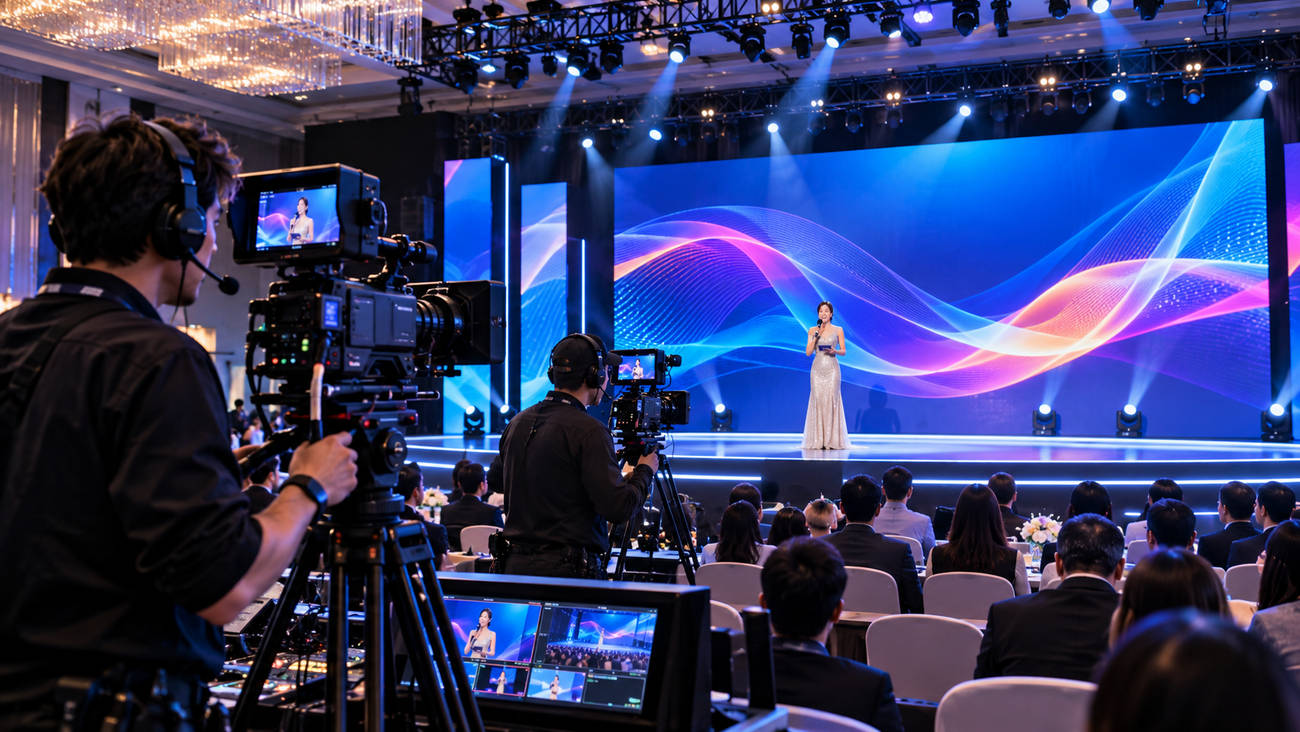
The audience may see a perfectly clean stage screen while the camera feed shows moving dark bands. Another shot may look stable but reveal a fine, wavy texture behind the presenter. Those are two different faults. Buying a smaller pixel pitch or quoting a higher refresh number will not automatically solve both. Figure 1. Illustrative filmed event with a rental LED stage wall and live cameras; not footage of a documented project. For a recorded awards show, launch event or hybrid conference, the LED wall has to work through a lens as well as to the eye. A short pre-production camera test can prevent the crew from discovering the difference during rehearsal. Here is how to set up that test and interpret what it shows. Moiré and camera banding are not the same problem Moiré is a spatial interference pattern. The regular grid of LED pixels and the camera sensor’s sampling grid can produce ripples or false detail in a recorded image. It may appear in one focal length or framing and disappear in another. Banding is primarily a timing problem: parts of the LED image are sampled differently during the camera’s exposure or readout. It can show up as horizontal dark or bright lines, sometimes moving through the frame. This distinction matters because the remedies are different. A focus or distance change can improve moiré while leaving rolling bands untouched. A shutter adjustment may remove bands while the visible pixel pattern remains. ARRI’s guidance on LED-wall camera artefacts likewise treats synchronisation and moiré as separate test questions. What appears in the recording Likely area to investigate First useful test Wavy, repeated patterns that change with framing Spatial moiré / aliasing Change camera distance, focal length or screen focus Dark or light horizontal bars, sometimes rolling Exposure / LED timing mismatch Compare shutter settings and processor timing Visible pixel texture or soft sponsor text Pixel pitch, resolution and focus Test the approved content at final framing Poor gradients at low screen brightness Panel drive, grayscale or processor settings Repeat at the show’s actual dimmed output Shortlist pixel pitch for the shot, not just the first row of seats Longcheng’s stage rental LED display range includes P2.604, P2.97, P3.91 and P4.81, with published approximate minimum audience viewing distances of 2.7 m, 3 m, 4 m and 4.8 m respectively. Those distances are useful for the people in the room. They are not camera-moiré guarantees. Imagine an awards presentation with three planned images: a wide shot of the stage, a medium shot showing the speaker and screen, and a close shot in which a logo fills part of the background. The camera may be farther from the wall than the first-row audience, yet the close shot enlarges the LED texture in the recorded frame. The lens, sensor, aperture, focus and exact composition therefore belong in the pitch test. Compare two plausible pitches using the same lens and approved graphic. A finer pitch may retain more detail in a close shot, but it also changes the spatial relationship between the wall and the sensor. The winning choice is the combination that passes both audience legibility and the recorded camera test—not the smallest number in a catalog. Figure 2. Illustration of camera-framing and pixel-pitch comparison; any checkmarks represent a proposed workflow, not verified performance. Run a camera test that resembles the final show Bring the intended camera model and lens if possible. Use the show frame rate, shutter speed or angle, picture profile and planned screen brightness. Ask the LED technician to document the selected cabinet, processor, refresh and scan settings. If the equipment changes before show day, repeat the relevant parts of the test. Use three kinds of material Real show graphics: sponsor marks, fine text, gradients and the actual motion backgrounds. These expose failures the generic demo reel may hide. Neutral test frames: white, black and mid-gray fields plus a smooth grayscale gradient, checked at both show brightness and a lower output level. Moving shots: record the planned pans, tilts, zooms and focus pulls. Some unwanted patterns appear only while the camera moves. Capture a short recording for each significant setup and inspect the original footage at full resolution, not just the venue confidence monitor. Label clips with pitch, camera, lens, distance, frame rate, shutter, display brightness and processor settings. The test is useful only if someone can reproduce the combination that passed. Figure 3. Illustration of pre-event camera tests for moiré, banding, dimming and processor settings; not an actual laboratory report. If the image has bands, check timing before changing pitch The published rental specification lists a 1,920–3,840 Hz refresh range across configurations. That does not mean every supplied cabinet operates at 3,840 Hz, or that 3,840 Hz guarantees a clean feed from every camera. Also distinguish LED refresh from the 50/60 Hz—or other—video frame rate fed into the processor. When bars appear, hold the shot still and document the failing camera and display settings. Test suitable shutter angles or speeds; check the LED processor’s output and panel scan configuration with the technician. If the complete system supports common reference synchronisation, evaluate it under the production team’s supervision. Do not assume that specialized shutter-sync or genlock features are included with Longcheng’s standard rental package; processor compatibility must be verified separately. One source of confusion is dimming. The screen may look acceptable at a bright trade-show setting and exhibit bands or weak dark grays once it is reduced for a stage spotlight. Repeat the camera check at the actual show setting. A clean full-brightness demo is not evidence that the dimmed show will record cleanly. If the image has moiré, work through the shot geometry Start with the shot that fails, not with a new equipment order. Adjust the distance between camera and wall where the venue allows. Try a modest change of focal length, aperture, framing or focus placement while keeping the presenter sharp and the creative intent intact. A background that is slightly out of focus can appear cleaner than one in which the LED pixel grid is fully resolved. Then compare the alternative pitch on the same shot. An apparent improvement in a wide image is not a pass if the production depends on a close crop. Similarly, a camera-friendly pitch cannot rescue text that was designed too small for the audience. Approve the configuration against the most demanding real shot, while keeping visual legibility on site. What evidence should the production team keep? Create a small camera-test log instead of a general “camera-friendly” tick box. One row per camera setup is enough, as long as the record is specific. Record Example field Acceptance question Capture setup Camera / lens / focal length / distance / FPS / shutter Was the actual planned shot tested? LED setup Cabinet pitch / processor / refresh / scan / brightness Can the technician restore the passing setup? Visible result Moiré / rolling bands / gradients / text / seams Do defects remain in the recorded footage? Decision Pass, change settings, or retest Who accepts the result and signs off? If camera settings change during the show, document which alternatives passed. Multi-camera productions may need separate results for each body and lens combination; one clean handheld clip does not establish performance for an entire broadcast chain. Keep the camera test separate from the rental quotation Cabinet count, flight cases, venue power and transport are essential, but they answer a different question. They belong in the broader rental LED quotation and logistics checklist. This article addresses whether the chosen screen records properly under the actual production settings. Figure 4. Illustration of technician commissioning and final camera checks; displayed PASS labels do not constitute tested product performance. For a filmed project, identify who supplies the processor, who can change its settings during rehearsal, and who signs off the recorded test. Longcheng’s service overview describes event-site support and commissioning capabilities; confirm the scope and dates in the order. The most useful inquiry through the contact page includes a camera list and one or two representative shots, not simply a request for the highest refresh rate. Frequently asked questions Will a 3,840 Hz rental LED screen always be flicker-free on camera? No. The result also depends on camera shutter timing, scan mode, processor behaviour and the chosen brightness. Test the supplied system under the intended recording settings. Does smaller pixel pitch always eliminate moiré? No. It changes the LED grid sampled by the sensor, but moiré also depends on lens, focus, camera distance and framing. Compare actual recordings. Why can a wall look fine in person but fail on video? Eyes and cameras sample light differently. The sensor can record spatial interference or timing artefacts that viewers do not notice at the venue. What is the minimum useful camera-test deliverable? A labelled recording and settings sheet for the critical shot, with a documented pass or correction. Keep the test file so the same conditions can be checked again at rehearsal.
Read More
How to Test Rental LED Pixel Pitch, Flicker and Moiré on Camera

23/ October

LED Display Panel Inspection: What Should Buyers Check Before Shipment?

The question at shipment is quite practical: could your crew unpack this order and build the screen you bought? A video of an LED display panel playing colorful footage answers only part of it. The locks might be awkward, a cable might be missing, or the processor might contain settings nobody has saved. There is still time to sort those things out at the factory. After collection, the same discussion involves a shipment already on its way to your first venue. Which version did you actually order? There may be several versions on the product page, but only one agreed configuration in your order. The signed quotation is the reference here. An inspector who has only the catalog won’t know which of those options you paid for. Read the labels before switching on Take Longcheng’s Stage Rental Indoor Outdoor LED Display Screen as an example. The page lists 500 × 500 mm and 500 × 1000 mm cabinets, with a 1920–3840 Hz refresh range. It doesn’t follow that your shipment includes both cabinet sizes or the highest refresh setting. Compare the labels and selected configuration with the order. If something has been substituted, settle that before the demonstration continues. Count what will form the screen Imagine ordering a 5 m by 3 m wall made of half-meter-square cabinets. There should be ten columns, six rows and 60 cabinets in that picture. Your spare isn’t part of the picture. Ask the inspector to mark the cabinet count on the drawing rather than simply ticking “quantity correct” on the packing sheet. Include the entry points for power and data on that drawing, since the receiving crew will be following it. Can you assemble a satisfactory section? A rental wall spends much of its working life being put together and taken apart. An LED display panel quality check ought to include that handling, with the display switched off as well as on. Ask for a production section to be assembled, including a joint between different cabinet sizes if your order uses them. Look along the face under normal room lighting. Do the corners meet? Does a seam open when the locks are operated? A close view of one troublesome joint tells you more than another photograph of the complete wall playing video. This is also a chance to hold the handles and look closely at connector housings. Don’t force a reluctant lock: find out why it’s reluctant. Is the assembly procedure wrong, or does something fail to fit? A screen in the rental LED display range can be quoted with different accessories, and you want the ones approved for your layout in the demonstration. The venue’s structural approval remains separate from this cabinet trial. What should the inspector put on screen? Send your test files before the appointment. Otherwise, it’s surprisingly easy to spend the whole call watching the supplier’s chosen footage. Allow time for a static picture A plain red field has nowhere to hide a dark patch. Try green and blue too, then white and low gray, and pause whenever something deserves a closer look. Once that’s done, put up the ordinary content. For conference work, that includes presentation text, not just music footage. The awkward question is what you will accept. Settle the defect limits and viewing conditions in writing before the inspection. A video call is a poor place to discover that buyer and seller have different definitions of an acceptable pixel fault. Keep the cabinet drawing beside the photographs, with a mark showing where each observation belongs. Use what is going in the cases The processor and cables in the demonstration should be from the order. A perfectly working factory setup isn’t much help if it relies on equipment you aren’t buying. Try changing sources; if a restart is part of the approved test, include it. Filming orders also deserve a camera trial at the proposed settings. Who will save the working configuration? Make that someone’s job before the technician disconnects the screen. A receiving crew with the settings file can reproduce the arrangement more readily than one left studying a demonstration video. Could your technician replace a module? A short service demonstration can answer an awkward installation question: is there actually room to do the work? Let the technician carry out the approved replacement procedure, with the power isolated as required by the manufacturer. Watch the access space and the route taken by the module. Then look at the spare. Its identity and calibration information should be traceable. Longcheng lists installation and technical training among its services; use the quotation discussion to agree on the instruction your own crew needs. The written order should say who receives it, how it is delivered and whether there are charges. What needs checking before the cases close? Follow the packing list as though you’re looking for a missing processor at the venue. Does it tell you which case to open? Are the spare modules distinguishable from the active equipment? While everything is visible, reconcile the quantities and photograph the open cases. Look at the parts touching the packing material. Cabinets need proper support, and loose accessories mustn’t move against the display face or connectors. Talk through how the crew will lift each item out. An approved unpacking method belongs with the shipping information. Repairs made during inspection need a follow-up result. Keep that result beside the original observation, not in a separate message thread that the receiver may never see. Drawings, instructions and the configuration backup should travel with the inspection records. How does Longcheng fit into this process? Shenzhen Longcheng Photoelectrictechnology Co., LTD. publishes a commitment to final inspection before shipment as part of its indoor and outdoor LED manufacturing business. Its stage rental products and technical services let buyers discuss the cabinets and operator instruction together. When requesting a quotation, attach your layout and proposed inspection plan. Ask for confirmation of the actual equipment and documents that will accompany it. Conclusion The useful outcome is an order your crew can recognize and assemble again. You have checked it against the quotation, seen the relevant cabinets work and kept the settings and packing records. Any unresolved observation still needs an answer before release. That is a better point to end the inspection than simply running out of time on the video call. FAQs Is video inspection enough if we cannot visit? It may be, if you and the supplier agree on the checks and how the equipment will be identified in the footage. An independent inspector is another option when the order warrants a visit. Does a representative assembly cover every cabinet? The two checks are different. Building a section demonstrates assembly. Your inspection agreement also needs to explain how the remaining cabinets will be checked. Should we repeat checks after delivery? Yes. Start with packaging condition and cabinet identification, then repeat the agreed basic tests. Record any transport damage promptly and compare the result with the factory records. Title: LED Display Panel Inspection: Pre-Shipment Checklist Description: Check LED display panels before shipment, including cabinet fit, picture tests, control settings, spare modules and packing records for rental projects. Keywords: led display panel, led display panel inspection, led display panel quality check
Read More
LED Display Panel Inspection: What Should Buyers Check Before Shipment?

22/ October

Fine-Pitch LED Display vs LCD Video Wall: Which Fits Your Meeting Room?

Which file would you rather not put on the screen in your current meeting room? Perhaps it’s the worksheet with the narrow columns, the one that nobody beyond the middle seats can read. Take that file to the supplier’s demonstration. Try it on the proposed fine-pitch LED display, and then on the LCD video wall. You’ll have a much more useful comparison than you would get from watching bright landscape footage on either screen. What does your room actually need to display? Think about yesterday’s meeting, or the next one in the diary. Who will bring a laptop? Where will everybody sit? Will a drawing share the screen with a video call? Those answers are more helpful at this stage than a preference for either display technology. Start with a difficult file For an engineering team, that might be a drawing whose dimension labels disappear from the back row. For finance, it could be a worksheet shown beside a video call. Keep the normal laptop scaling and conferencing layout. Zooming in may make a number readable, but how much of the worksheet remains visible? You’ll want to know before buying. Try the nearest chair as well as the back row. Sit where people will actually work, rather than at a convenient point in the showroom. If the supplier gives a recommended viewing distance, compare it with those positions and spend a few minutes reading the files from each one. Separate the input from the physical pixels “Supports 4K” can describe the processor’s input, not the LED wall itself. Ask for the drawing that identifies every cabinet and adds up the physical pixels. For LCD, ask how the source is spread across the panels and how many pixels are available on each. The two drawings let you check what happens between the laptop output and the image on the wall. Would bezel lines interrupt your meetings? With LCD, you’ll see borders wherever the panels meet. You might scarcely notice them on a landscape image, then find that one runs straight through a label on your drawing. That’s why the ordinary files are useful in this trial. An LCD processor may offer bezel compensation. This allows for the borders when placing the image, with some of the picture hidden behind them. Move a drawing across a joint while that setting is active. You can then see whether a label disappears and whether the presenter has to move it back. Let a regular user of the room try this, rather than deciding entirely from the supplier’s prepared content. The LED picture can continue across cabinets without LCD bezel strips, although poor alignment or a color mismatch can still reveal a joint. Longcheng’s P1.8 Indoor LED Display Panel uses a published 640 × 480 mm cabinet format. The listing covers several pitch options; its table includes 1.86 mm. Ask which version the quotation contains before using “P1.8” in a resolution calculation. What might make the LED option worthwhile? A large continuous drawing is a good reason to investigate LED. So is a room layout that benefits from a screen built to a particular cabinet grid. Those benefits need to survive a normal meeting with the lights on. Try ordinary brightness and a video call Have the supplier reduce the display to a comfortable meeting setting. Review dark slides and faces as well as white worksheets. For reference, Longcheng lists 800 nits and 3840 Hz on the P1.8 page. You still need to see the screen at the setting your room will use. Bring the intended camera into that trial. Beware of treating a quoted LED refresh figure as equivalent to an LCD frame rate: they refer to different operations, not a shared scale for ranking the two screens. Leave enough room to service it A recessed installation can leave little space for a technician’s tools. The P1.8 specification table lists full front service, which should be confirmed for the quoted assembly. Ask to see how a module comes out, where it will be placed and what happens to the surrounding trim. Longcheng’s installation and training services can be discussed while those access details are still being designed. When does LCD still deserve consideration? Perhaps most of your meetings involve reading desktop content at fairly close range. In that case, give the LCD proposal a proper trial. How much of the worksheet fits while the text stays readable? Where do its borders fall? You may find that the panel grid works perfectly well for the content your team shares. There is still a quotation to examine. For LCD, check the commercial panel’s operating-hour rating and the specified mounts and processor. Find out what happens when a panel needs replacing. With LED, that conversation concerns modules and their calibration. Neither quote should quietly assume that future replacement parts will look identical to an aged wall. How should you compare the complete proposals? Send each supplier the same room drawing and content samples. Include source devices, usable wall dimensions, meeting hours and the conferencing setup. You’ll need a matching scope before comparing the totals; a price for panels alone can’t be compared directly with an installed room system. Read down the cost sheet for the supporting structure, electrical work and cabling. Is the processor there? Does the supplier include commissioning? Who will answer a connection question at the first meeting? Before signing off, have an ordinary user connect a laptop, change sources, join a call and restart the system. The supplied instructions should be enough to repeat those operations without the installer standing beside them. What can Longcheng provide for the LED comparison? For the LED side of your comparison, Shenzhen Longcheng Photoelectrictechnology Co., LTD. offers small-pitch products within its indoor and outdoor display manufacturing range. The P1.8 cabinet listing is one candidate for a permanent meeting-room wall. Send the room measurements and representative files when requesting a configuration. A quotation identifying the actual pitch, finished resolution, service access and control equipment gives your procurement team something concrete to compare with LCD. Conclusion The demonstration may leave you with a clear preference, or it may send both suppliers back to revise their layouts. Either outcome is useful. You will have seen where the LCD borders fall and what detail the quoted LED configuration can reproduce. Keep the room drawing and difficult files with the proposals so the final approval refers to the setup you’ve tested. FAQs Is fine-pitch LED always sharper than an LCD wall? No. A smaller physical pixel grid may show more detail at close range. Finished resolution, source scaling and seating distance also affect what people can read. Compare the proposed systems with the same file. Does the P1.8 product automatically give native 4K? No. The selected pitch and cabinet layout determine its native resolution. A processor capable of receiving 4K cannot add physical pixels to the LED face. Which system will be easier to maintain? Ask to see the replacement procedure for each quotation. Access, matching spare parts and the agreed support arrangements matter more than a general claim about either technology. Title: LED Display Panel Inspection: Pre-Shipment Checklist Description: Check LED display panels before shipment, including cabinet fit, picture tests, control settings, spare modules and packing records for rental projects. Keywords: led display panel, led display panel inspection, led display panel quality check
Read More
Fine-Pitch LED Display vs LCD Video Wall: Which Fits Your Meeting Room?

30/ October

Rental LED Display Quote Checklist: How to Plan Pixel Pitch, Cabinet Count and Event Logistics

Rental LED screens installed in a conference venue. “Five meters wide, three meters high” describes an outline, not an event-ready LED wall. It tells the scenic designer roughly how much stage to reserve. It tells the supplier almost nothing about the nearest viewer, video canvas, hanging method, loading route or crew schedule. Those omissions are where apparently cheap rental quotes become difficult to use. Consider a hypothetical 5 × 3 m wall for a filmed conference. There are four decisions to make before its price means much. 1. What must remain readable, and from where? The nearest audience seat is one input. So are the smallest sponsor name, the camera close-up and the playback resolution. Longcheng’s stage rental LED display page lists P2.604, P2.97, P3.91 and P4.81. It gives approximate minimum viewing distances of 2.7 m, 3 m, 4 m and 4.8 m for those options. At a 4 m nearest seat, several of those numbers may enter the discussion. The content sample is what makes the discussion useful. Send one still frame at its intended size, plus the camera plan. A proposal for P3.91, for example, should include the native resolution of the whole wall and a reason that the small text works at the actual viewing points. A finer pitch may be justified; it may also add cost without helping an audience that is much farther back. This choice cannot be made from the pitch list alone. 2. Draw the grid at cabinet scale For a 5 × 3 m wall, cabinet size changes the piece count before anything else. Longcheng lists 500 × 500 mm and 500 × 1,000 mm cabinets for this rental range. Here is what each layout looks like from the front: Square units: 10 across × 6 high = 60 cabinets. Tall units, standing vertically: 10 across × 3 high = 30 cabinets. Front and rear views of a 500 × 500 mm rental LED cabinet. These counts are layout arithmetic, not a choice of stock or compatible locking hardware. Show the production team both sketches. One doubles the number of pieces to lift, but the other may change handling, case packing or support details. The supplier’s chosen drawing must give assembled weight, active dimensions, pixel canvas, processor map and a complete equipment count. It is the drawing the crew can use; the area figure alone is not. The wall is 5:3, but the video feed may be 16:9. Fit that picture to the 5 m width and it reaches only about 2.81 m high. Fill the full 3 m height instead and it would need about 5.33 m of width. Cabinet sizes change in 0.5 m steps, so there is no exact match. The media team must choose between empty bands, cropping or a different wall layout before exporting the artwork. Draw the cases and cable paths around the wall too. The 5 × 3 m rectangle may fit between scenic elements while a case stack blocks a door, or the route to an upper module vanishes once the backdrop is installed. The corrected drawing, rather than the original area figure, should become the reference for the final offer. Rental LED cabinet formats and side profiles for handling checks. 3. What can the venue actually supply? Longcheng’s table lists 600 W/m² maximum and 300 W/m² average display power, with AC 110 V/220 V ±10% input. For 15 m², the published values calculate to 9 kW maximum and 4.5 kW average. Those are useful starting figures, with different purposes. The electrician designs for a maximum case; the average is relevant to an operating estimate under stated conditions. Neither replaces a model-specific electrical schedule. The supplier’s response should identify the selected cabinet’s load, distribution equipment and connector requirements. The venue then checks circuits and cable routes. A processor and any other equipment on the same supply belong on the electrical list as separate items. If two bids use different boundaries for “screen power,” their wattage lines cannot be compared honestly. The camera test is worth doing with the actual playback file, not a demo reel. Longcheng gives 1,920–3,840 Hz for refresh rate and 600–5,000 nits for brightness across its rental options. Neither range tells the crew what the quoted wall will be running on show day. Use the intended camera, shutter and frame rate under the show lighting, and keep the test footage with the quote. 4. What happens at 17:30 if a module goes dark? Imagine a 19:00 show with rehearsal still running at 17:30. There is little value in a spare module if it is at a warehouse or if scenery blocks access to the failed position. The proposed build should mark the service route. The quotation should identify the on-site spare, the technician and who can authorize a safe repair before doors open. This is an illustrative schedule, but the real event’s load-in, rehearsal, show and strike times belong in the RFQ. Rear service access and internal components of a rental LED cabinet. The equipment list also has a physical footprint. Flight cases have to pass the loading door and any lifts before the cabinets reach the stage. Processors, support hardware, power and signal cables, spares and test equipment travel too. The rigging or ground-support plan needs an identified approver. If the load-in window is short, cabinet count alone will not tell the crew how long the build will take. Longcheng’s service page lists event-site support, installation, commissioning, training, remote technical help and spare-parts repair. Put the relevant service items on the offer with the venue, dates and hours covered. If the event is outdoors, the offer should identify the particular rental cabinet and its protection and installation conditions. The product page offers indoor and outdoor options, so “rental cabinet” alone is not a sufficient outdoor specification. One brief, comparable responses Send the stage plan, run sheet and sample content through Longcheng’s contact page. In the email, request a marked front elevation and a packing list; these should settle the cabinet mix, active size, pixel canvas, weight, processors, cases, support, cables and spares. Request a separate electrical sheet with model-specific maximum and average loads and stated assumptions. Add the exact refresh-rate and brightness settings, a camera-test plan, the service route, crew coverage and exclusions. Put the marked front elevations side by side when the offers come back. Thirty tall cabinets and sixty square ones may cover the same area but arrive in different cases and need different support arrangements. Compare the equipment lists against the same pixel canvas, loading route and repair access. If the venue survey changes the grid or support method, revise the drawing and packing list together before dispatch. Frequently Asked Questions Can 500 × 500 mm and 500 × 1,000 mm rental cabinets be mixed? Longcheng lists both sizes for use alone or together. Before approving a mixed layout, check the exact cabinet series, locking hardware, pixel pitch and control mapping with the supplier. Is average screen power enough for the venue electrical plan? No. In this 15 m² example, the published figures give 9 kW maximum and 4.5 kW average display power. Request model-specific electrical details and account for processors and other connected equipment separately. Does event-site support include a technician for the whole show? Not necessarily. The quotation should specify the hours covered, which spares are on site, who can approve repairs and whether support extends through rehearsals, the show and strike.
Read More
Rental LED Display Quote Checklist

29/ October

Outdoor Energy-Saving LED Screen RFQ Checklist: What Should Buyers Confirm Before Ordering?

ES960 outdoor energy-saving LED cabinet | front and rear construction A quotation for an outdoor LED screen is easiest to compare when it answers the site’s awkward questions. Where does the active image end? What does the electrician include in the power number? Can a technician reach the cabinet after the frame is installed? If an RFQ leaves those questions blank, two suppliers can quote different projects while using the same phrase—“5 × 3 m screen.” Longcheng’s outdoor energy-saving LED screen page is the product reference for the checks below. Its figures are useful, but the page does not know the buyer’s opening, audience, or maintenance route. Those belong in the quotation request. Cabinet Grid and Installation Drawings Start with the opening itself. Longcheng shows a 960 × 960 mm aluminum cabinet. Take five of the listed 960 mm units across and three high: the active part of the wall is 4.8 × 2.88 m, and the count is 15. That leaves 200 mm across the opening and 120 mm vertically. The drawing has to say whether those strips are trim, tolerance, or a different matrix. ES960 cabinet dimension illustration | 960 × 960 mm footprint and side profile That difference can be perfectly sensible. It may become a border or trim. It may be a sign that the architect wants another matrix. The supplier’s drawing should settle it instead of using “approximately.” Ask for a front view that separates the active image from the frame and a side view that shows the completed depth, fixing points, cable space, and service clearance. The cabinet figures matter to the same review. The catalog puts one cabinet at about 25 kg. Published depth figures differ between the technical table and the cabinet illustration, so the approved side elevation must confirm the depth. Fifteen units are already about 375 kg before frame, connections, cables, or controls are added. Show load path and fixing points to the structural designer; show finished depth after cable and service space to the installer. Put both on the returned drawing. There is a content reason to settle the grid early as well. A cabinet count does not tell the media team the native pixel canvas. Ask the supplier to write that resolution on the elevation. If the grid changes after structural review, artwork, power calculations, and finished dimensions may all need a new version. Viewing Distance, Pixel Pitch and Brightness Longcheng’s current options are P4.4, P5.7, P6.67, P8, and P10. The correct choice depends on the smallest thing the audience must see and the distance from which it must be seen. A roadside sign may carry large messages for viewers who never approach it. A plaza display might be read by people standing close to the wall. The outside dimensions alone won’t tell the supplier which case applies. Give the supplier the nearest viewer, the normal viewing zone, and one frame containing the smallest text or image. In return, require a pitch recommendation tied to that frame and the native resolution of the resulting matrix. When two pitches still look plausible, keep the cabinet grid unchanged during comparison. That holds cabinet count and finished size constant while you evaluate native resolution, brightness and model-specific power. Brightness and refresh belong beside pitch. The page gives 5,000–6,000 cd/m² brightness by option and at least 3,840 Hz refresh. Tell the supplier when the wall will be used. A wall working in full sun won’t be compared on the same basis as one that is mostly switched on after dark. Fill in temperature, humidity, wind exposure, mounting surface, and cable route; blank fields invite assumptions. Longcheng gives -20 to +40 °C as the working range. If the site approaches either end, the quote should explain its model and installation assumptions. A family range is a starting reference, not a site approval. Maximum Power, Average Power and Energy Claims On power, most pitches are shown at 550 W maximum per cabinet, P10 at 600 W, and average power at 300 W. For 15 cabinets, that is 8.25 kW at 550 W, 9 kW for P10, and 4.5 kW at the stated average. Common-cathode and conventional LED circuits | illustrative comparison Do not put those numbers into one undifferentiated “power” field. The maximum is the number the electrical designer needs for circuit planning. The average is an operating estimate and needs brightness, content, duty cycle, and hours of use. Ask whether controllers and distribution equipment are counted. A cabinet-only number can look lower simply because the controller and distribution were left out. Ask for the test or operating conditions behind the average and keep them beside the figure; that is the part of an energy-saving claim a second supplier can actually match. Then a competing supplier can be asked for the same scope. IP66 Sealing and Maintenance Access The page lists IP66 protection and front and rear service. IP66 is a cabinet property. It does not show the seal at a site cable entry, the treatment of cabinet joints, or the path water takes out of the assembled wall. Longcheng notes that final reliability depends on installation and sealing design. Ask for cable entries, connector protection, drainage, grounding, and the frame interface in the installation detail. ES960 aluminum cabinet | published 25 kg weight Service access is a design decision, too. A display against a facade may have no rear walkway, even when rear service is available as a product feature. In that case, the front-service clearance and technician position need to be drawn. A freestanding structure may allow access from behind; show the walkway and equipment route rather than assuming them. Have the supplier name the spare modules and power supplies that remain at the site. If a lift or platform is needed, put its provider and working position in the offer. Otherwise a spare may sit nearby while the failed cabinet remains out of reach. Documents to Request with the RFQ Send the opening drawing, site photograph, viewing sketch, content frame, available power, operating schedule, climate, and access limits. Ask for three linked returns. The cabinet elevation should name model, pitch, grid, dimensions, native resolution, weight, fixing points, and clearance. The electrical sheet should state maximum and average load, brightness, assumptions, included equipment, and distribution. The installation detail should cover seals, entries, drainage, grounding, service side, access equipment, and spares. Keep testing, spares, installation and commissioning, destination support, delivery, warranty terms, and exclusions as separate price lines. Longcheng’s service page lists remote technical support, on-site maintenance, installation, commissioning, training, and spare-parts repair. Select the services that apply to this order and destination. Send the marked brief through the contact page. When it arrives, put the returned elevation over the architectural drawing. Check that its cabinet count produces the same power total and that the service route fits the frame. If the grid moves, revise the electrical and installation documents before approval. The result should describe one screen for one site, not an uncommitted product family. Frequently Asked Questions Can an IP66 outdoor LED cabinet be installed without checking the cable-entry seals? No. IP66 describes the cabinet protection level, not every junction in the finished wall. The RFQ should still cover cable entries, connectors, drainage, grounding and the installation interface. Can the ES960 be maintained from the front when there is no rear walkway? The product supports front and rear maintenance, but the installer should confirm the front-service procedure, tool clearance and safe technician access for the selected mounting arrangement. How can buyers compare energy-saving claims from two outdoor LED suppliers? Request average power at comparable brightness, content and operating hours, alongside maximum cabinet power. Both quotations should state whether controllers and power-distribution equipment are included.
Read More
Outdoor Energy-Saving LED Screen RFQ Checklist

Our Brand

Colorlight logo
G-ENERGY
kinglight
Mean well
nationstar
Nova
Rayshine
Home
WhatsApp
Email
Contacts