Nullam dignissim, ante scelerisque the is euismod fermentum odio sem semper the is erat, a feugiat leo urna eget eros. Duis Aenean a imperdiet risus.

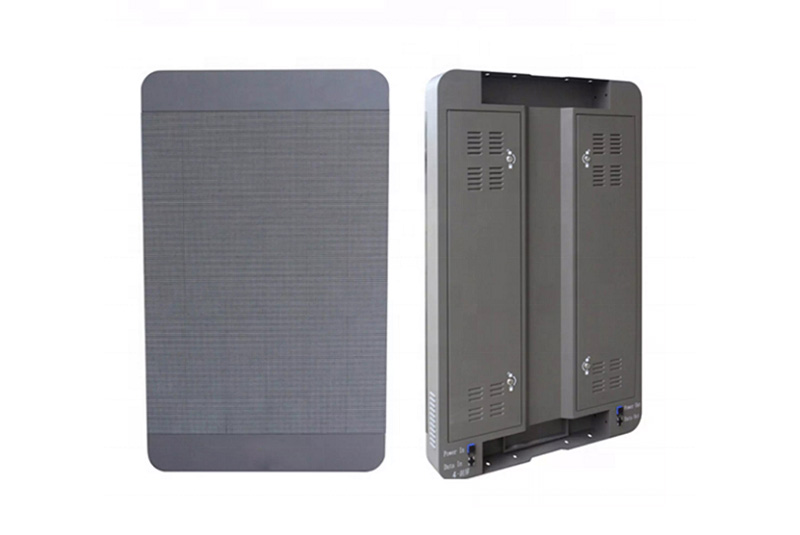
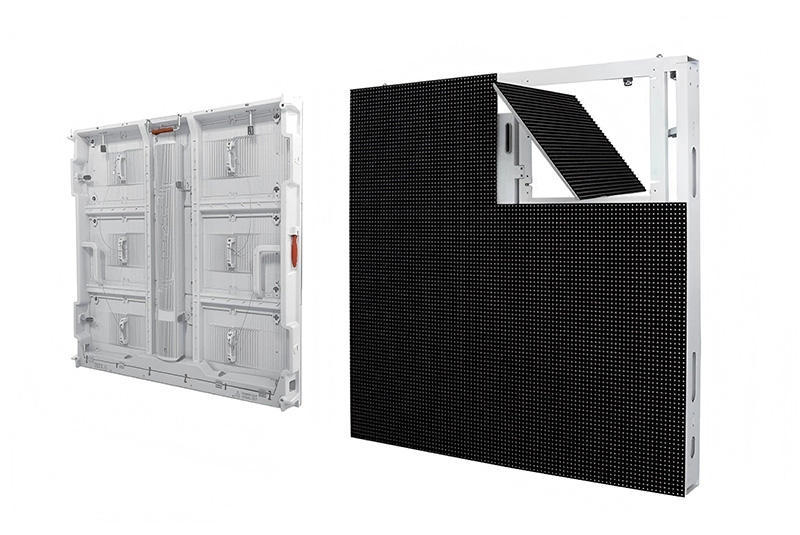
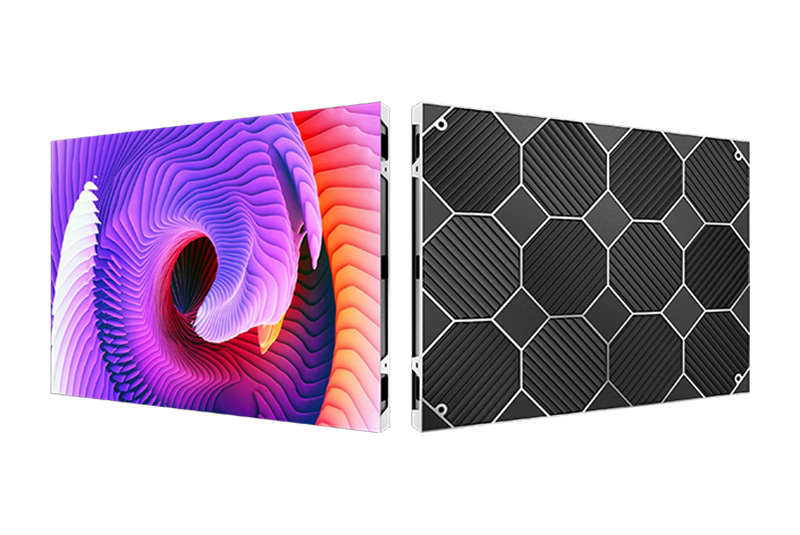
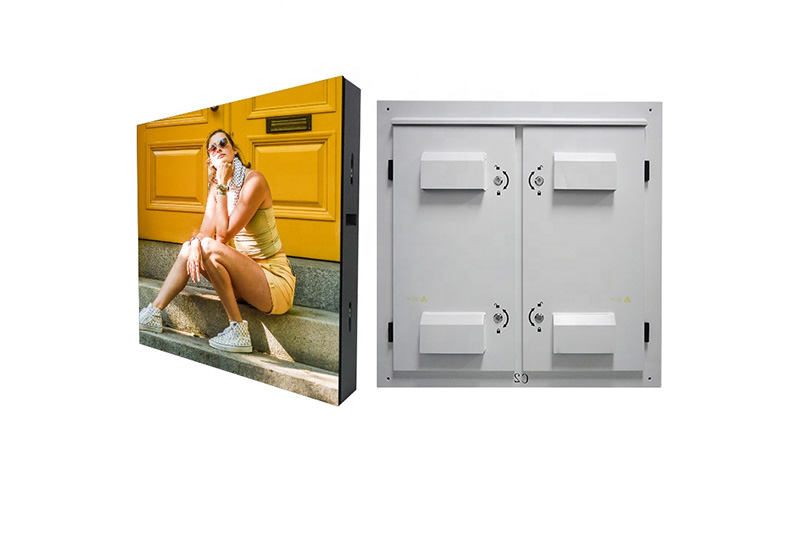
Digital Street LED Sign Advertising Video Screen1129-1
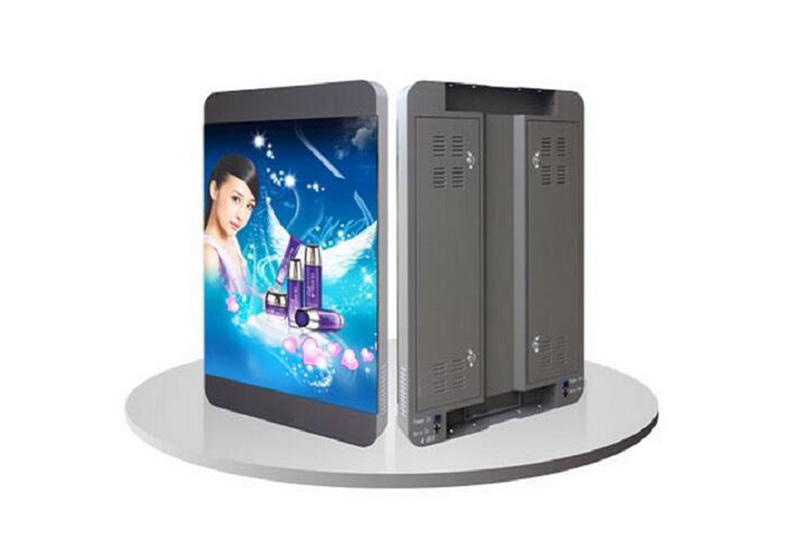
Digital Street LED Sign Advertising Video Screen1129-2
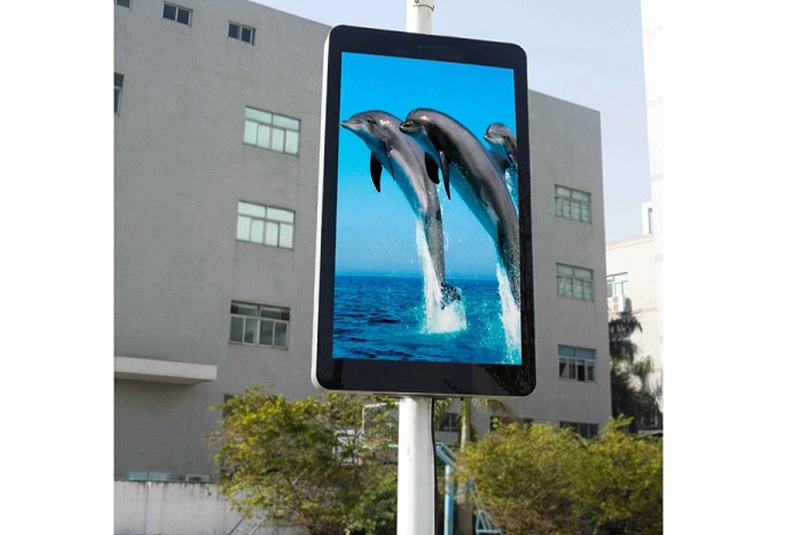
Digital Street LED Sign Advertising Video Screen1129-3
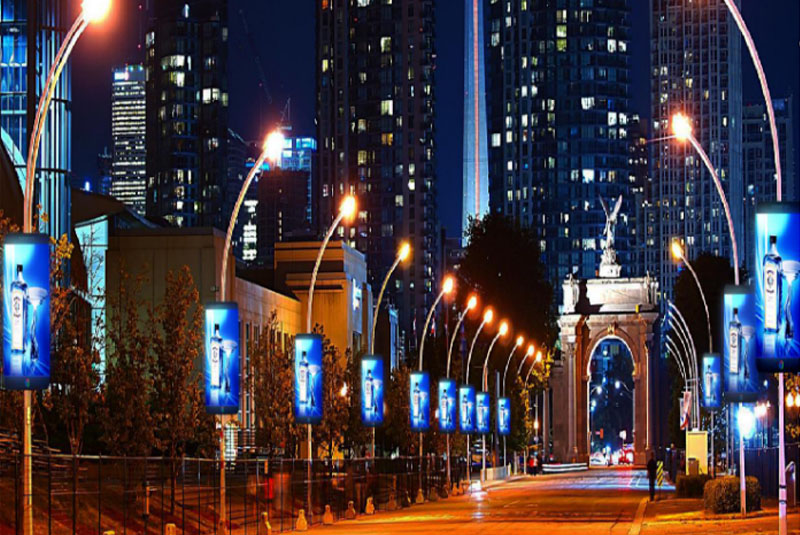
Digital Street LED Sign Advertising Video Screen1129-4
Digital Street LED Sign Advertising Video Screen1129-11
Digital Street LED Sign Advertising Video Screen1129-1
Digital Street LED Sign Advertising Video Screen1129-2
Digital Street LED Sign Advertising Video Screen1129-3
Digital Street LED Sign Advertising Video Screen1129-4
Digital Street LED Sign Advertising Video Screen1129-11

Digital Street LED Sign Advertising Video Screen

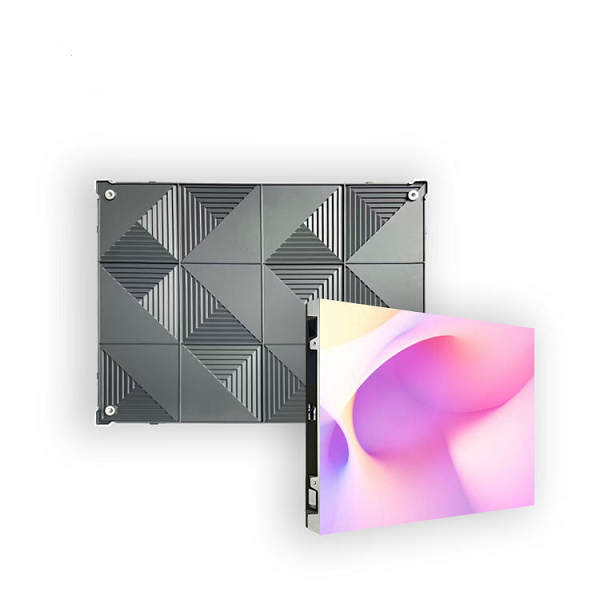
Pixel Pitch: P2.94, P3.33, P3.84
Brightness: 4000nits-7000nits
Refresh Rate: 1920Hz-3840Hz
Cabinet Size: Customized
Cabinet Type: Sealed waterproof iron cabinet

Product introduction

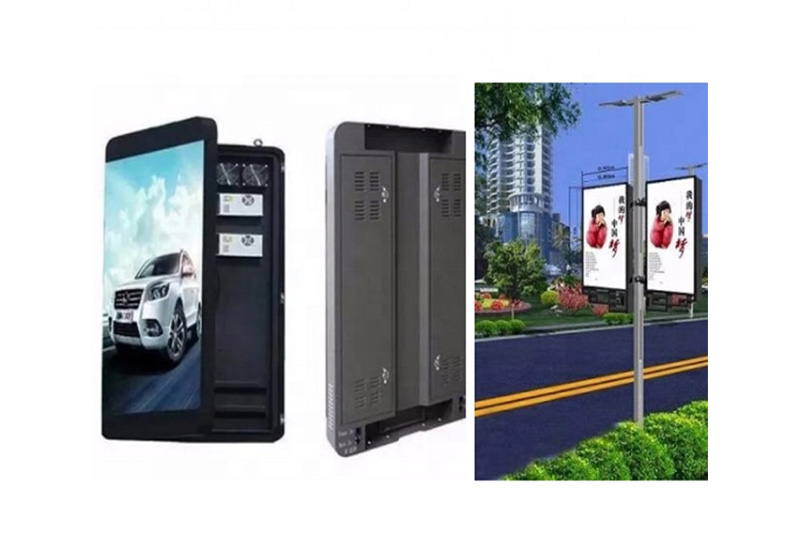
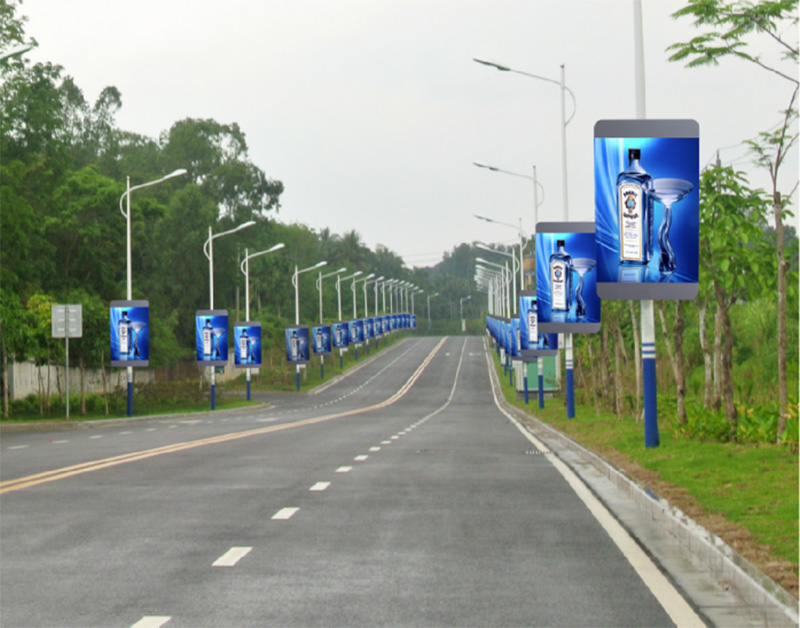
Smart city street light LED screen has the advantages of small screen size and high space utilization. It can control a large number of screen numbers at the same time through Internet broadcasting technology. In conclusion, street light pole LED advertising banners are better than traditional light box advertising banners.

Digital Street LED Sign Advertising Video Screena4


Multiple control mode

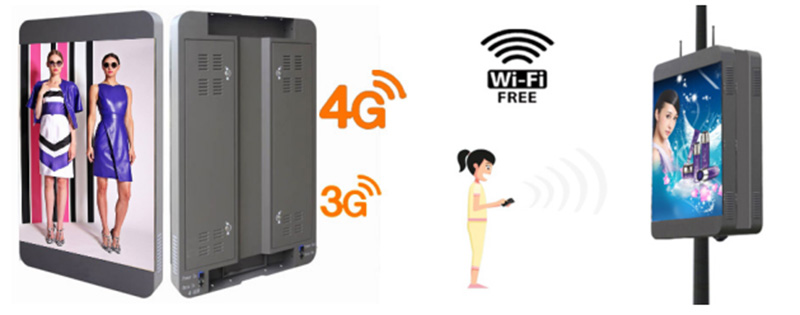
LOSCEN Street Digital LED Sign Advertising Video Screen supports multiple connections with 3G, 4G, WIFI, LAN, phone control as well as cluster control. Through cluster control, you can release the program to all smart light pole LED displays in your city at one time, without needing to update one by one. In addition, you can locate each smart LED light pole advertising display in the cloud cluster system, and easily check the status of each street light LED display.


Digital Street LED Sign Advertising Video Screena5


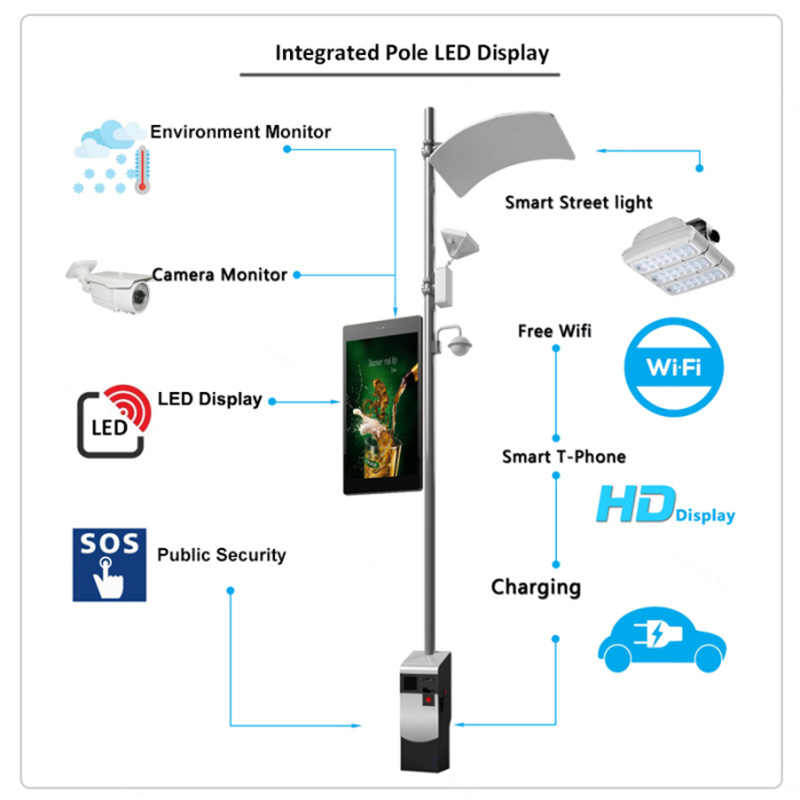
The street light pole LED display is a new type of intelligent outdoor LED display combined with solar street lights. It has multiple functions such as double-sided display, power supply, data acquisition, digital monitoring, automatic lighting control, and environmental monitoring. The difference between the street light pole LED display is obvious and distinctive.


Topology of Light Pole LED Poster Screen


Digital Street LED Sign Advertising Video Screena6


Solution features

  • Content synchronous Content synchronous by GPS.
  • Inter-cut,Inter-cut real time urgent message.
  • Energy efficiency Auto brightness, timing switcher.
  • Security Cloud management, real time monitor.
  • Effect Vivid picture with high refresh.

Product parameter list

Product Name Street Digital LED Sign Advertising Video Screen
Product No. P3.84 P3.33 P2.94
LED Lamp SMD1921 SMD1921 SMD1415
Chip Color RGB (Full Color) RGB (Full Color) RGB (Full Color)
Module Size 200*200mm 200*200mm 200*200mm
Module Resolution 52*52 Pixel 60*60 Pixel 68*68 Pixel
Cabinet Size 600*1200mm or customized
Cabinet Resolution 156*312 Pixel 180*360 Pixel 204*408 Pixel
Refresh Rate 1920Hz / 3840Hz
Maintenance Mode Back Service
Power Input AC110-240V, 50-60Hz
IP Grade IP65
Cabinet Type Sealed Waterproof Iron Cabinet
Brightness 4000-5500nits
Optimum Viewing Distance 4m 3.5m 3m
Latest Product

Check out our Product

View More
Hight Resolution Led Panel

Fixed Installation LED Cabinet P1.8 Indoor LED Display

<p>P1.8 Fixed Installation LED Cabinet delivers ultra-HD indoor display with seamless splicing, high refresh rate, and reliable performance for conference rooms, control centers, and commercial spaces.</p> <p>Fixed Installation LED Cabinet P1.8 Indoor LED Display is an indoor fine-pitch LED display developed for close-viewing indoor video walls and high-detail display projects. It targets buyers comparing P1.8 indoor LED display options by application, installation method and published product specifications.</p> <p>lists Pixel pitch: 1.25mm | 1.53mm | 1.86mm | 2.5mm; Pixel density: 6400000 | 425000 | 288906 | 160000;</p> <p>Module Size(mm): 320*160; LED package: SMD1010 | SMD1212 | SMD1515 | SMD2020;</p> <p>Module resolution: 256×128 | 208×104 | 172×86 | 128×64.<br /> For a reliable project configuration, evaluate viewing distance, pixel pitch, cabinet flatness, resolution, refresh rate, installation depth and maintenance access. The final model and bill of materials should be confirmed against the installation drawing and operating conditions before production.</p>
Read More
Outdoor energy-saving LED screen cabinet with front and rear service structure

Outdoor energy-saving LED screen

<p>Outdoor Energy-Saving LED Screen is designed for fixed outdoor advertising and commercial display projects that require high brightness, lower power consumption and reliable weather resistance.</p> <p>The 960x960mm aluminum cabinet supports front and rear service, IP66 waterproof protection and efficient heat dissipation.</p> <p>Buyers should confirm pixel pitch, brightness, cabinet size, maintenance method, control system and installation environment before quotation.</p>
Read More
led1

Indoor P1.25 HD Small Spacing LED Display Panel

<p>Indoor P1.25 HD LED Display Panel delivers ultra-clear images with seamless splicing, ideal for premium Small Pitch LED Display applications.</p>
Read More
Fixed Outdoor LED Display Billboard1

Outdoor P5 LED Display Billboard Fixed Installation

<p>Outdoor P5 LED Billboard with high brightness, IP65 protection, and fixed installation for reliable outdoor advertising displays.</p>
Read More
Latest News

Check out our blog posts

View More

16/ October

Rental LED Display vs Fixed Installation: Which Indoor Screen Fits Your Project?

A buyer choosing an indoor LED display must decide how the screen will be used before comparing pixel pitch or cabinet price. A touring event wall is assembled, transported and stored repeatedly. A lobby display remains in one position and must fit its building services and maintenance plan. This guide compares rental LED display panels with fixed installations through the questions that affect procurement: frequency of moves, cabinet handling, service access, image requirements and total operating work. What makes a rental LED display different from a fixed screen? The main distinction is the operating pattern. A rental screen is designed around repeated handling and fast deployment. A fixed screen is planned around one location, its mounting surface and regular operation. Both are modular, so neither label alone determines image quality. Repeated assembly changes the cabinet decision An event supplier may build the same wall in a conference hall this week and use the cabinets in another layout next week. That makes cabinet locks, edge protection, connectors, carrying methods and flight-case packing important purchase criteria. The P2 indoor LED rental display page describes a die-cast cabinet, locking hardware and front or rear maintenance. Its stated application areas include indoor commercial advertising and events. These published details make it a useful product reference, but the event team should still verify the actual cabinet configuration before ordering. A permanent wall starts with the site For a fixed display, measure the available width and height, assess the mounting structure and decide where technicians will reach the modules and power equipment. The P2.5 indoor fixed LED display lists a 640 mm by 640 mm cabinet and eight modules per cabinet. Those dimensions can guide an early cabinet grid, although the final structure and electrical design need a site-specific drawing. A permanent installation can integrate neatly into a lobby or meeting room when its frame and service space are designed together. Which option fits the project schedule and handling cycle? Ask how often the screen will move and who will perform each setup. This gives a clearer answer than a generic rental-versus-purchase price comparison. Temporary events need predictable setup For conferences, exhibitions and short campaigns, the operating cost includes transport, loading, assembly, signal testing, teardown and storage. A cabinet that saves time at each event can matter more than a small difference in hardware quotation. Before choosing rental inventory, request a demonstration of cabinet alignment, cable connection and module replacement. Record the number of technicians and working hours required for the proposed screen size rather than relying on a supplier’s broad claim of quick installation. Daily venues need a service plan A fixed screen may run promotional content or information every day. Its owner needs a way to isolate faults without closing the whole space for an extended repair. Confirm whether modules can be removed from the front, whether a rear corridor is required and where spare parts will be stored. Also check the access route for future cabinet replacement. These questions belong in the building design phase, before decorative finishes conceal the display frame. How should buyers compare image and system requirements? Rental and fixed categories do not replace a technical specification. Viewing distance, content and screen geometry still determine the appropriate product. Pixel pitch depends on the audience Measure the closest regular viewer and identify whether the screen shows large motion graphics, detailed video, small text or dashboards. The product references above use different pixel pitches, P2 and P2.5, so a direct image comparison would mix cabinet purpose with resolution. Ask suppliers to quote equivalent viewing performance where possible. For a very close audience, examine the actual content on a sample display at the intended distance; a catalog image cannot show how fine text will appear in the venue. Power and control need their own checks Calculate the full wall area and compare the supplier’s maximum power figure with the available circuit capacity. Keep average consumption separate from maximum demand. Plan the sending equipment, signal cable route, receiving-card configuration and a recovery method for a failed signal path. A temporary wall needs a connection map that technicians can repeat on each build. A fixed wall needs a labeled map that facilities staff can use years later. Neither design should be based on cabinet count alone. What costs belong in the buying decision? A useful comparison covers the work around the screen, not just the panel price. Request itemized proposals with the same screen area, content resolution and service scope. Count the full lifecycle Rental operation can add flight cases, transport, replacement connectors, event labor and storage. Fixed installation can add steelwork, building electrical work, trim, service access and scheduled maintenance. These are project cost categories, not universal price premiums. The better choice is the one whose cabinet design matches the expected handling cycle and whose quotation includes the work needed to make the screen usable. Ask for a comparable quotation Specify finished dimensions, nearest viewing distance, content sources, operating hours, mounting method and maintenance access. Ask the supplier to identify what the quote includes: cabinets, control equipment, spare modules, cables, structure, installation, commissioning and training. This prevents an apparently cheaper offer from omitting essential system components. Keep any optional redundancy separate so the buyer can see its cost and purpose. Why consider Longcheng Optoelectronics? Longcheng Optoelectronics publishes both rental and fixed indoor LED products and describes engineering implementation among its activities. Buyers can use the product pages as a starting point for discussing cabinet layout and maintenance, then request current drawings and a project-specific quotation. The final product configuration should be confirmed against the venue and the expected handling schedule. Conclusion Choose a rental LED display when the wall must move, change shape or be rebuilt regularly. Choose a fixed installation when the screen will remain in one venue and can be planned into the building. In either case, compare the full system: audience distance, cabinet handling, electrical load, control layout, service access and operating labor. That comparison gives procurement teams a more reliable basis for selection than the product label or panel price alone. FAQs Can a rental LED display stay installed permanently? It may be technically possible, but the buyer should verify mounting, ventilation, service access, operating hours and warranty conditions with the supplier. A fixed product may better match a long-term site. Is a fixed LED wall always cheaper than a rental wall? No. Costs depend on the selected cabinets and the surrounding work. Compare complete quotations for the same screen area and performance, including installation, transport or structure, spares and maintenance. What information should I send a supplier before requesting a quote? Provide screen dimensions, audience distance, indoor lighting conditions, content type, operating schedule, number of expected moves, mounting method and preferred maintenance access.
Read More
Rental LED Display vs Fixed Installation

15/ October

How to Choose an Indoor LED Advertising Screen for Retail Stores and Lobbies

An indoor LED advertising screen should make a message visible and readable at the places where customers actually walk, pause or wait. A bright wall in the wrong position can be less useful than a smaller display aligned with a natural sightline. Retail stores and corporate lobbies also have different content schedules and maintenance constraints. This guide explains how to choose screen location, pixel pitch, cabinet layout and operating workflow before requesting a quotation. Where will people see the screen? Begin with the audience journey rather than the maximum available wall area. Walk the space and record where people first notice the display, where they stop and how long they are likely to look. Retail viewing is brief and directional At a store entrance, customers may see the screen from the corridor, from inside the shop or through glass. Each position changes the viewing angle and ambient light. A screen that faces inward may be effective for product storytelling but weak for attracting passing foot traffic. Place sample content at the proposed location before purchase. Check whether the headline and product image are recognizable in a few seconds, and avoid relying on small text to carry the main message. Lobby viewing has more than one purpose In a corporate lobby, the display may welcome visitors, show brand films and provide wayfinding or event information. The wall should fit reception circulation and remain visible without blocking signs or architectural features. Note the nearest regular viewing position as well as the farthest useful sightline. These measurements will guide pixel pitch and content design more reliably than a generic recommendation for every lobby. How do pixel pitch and screen size affect readability? Pixel pitch, cabinet size and final screen dimensions should be chosen together. A smaller pitch gives more pixels in a given area, but the project only benefits when the audience and content need that detail. Match detail to viewing distance If customers stand close to a retail feature wall, test the smallest text, product labels and graphics planned for the campaign. For a screen mainly seen across a lobby, large imagery and short messages may be more important than very fine text. The P2.5 indoor fixed LED display page lists a 2.5 mm pitch and a stated best viewing range of 3 m to 20 m. Treat that range as a product reference, then validate the specific content from the actual viewing positions. Use the cabinet grid to plan the wall The same P2.5 product page lists a 320 mm by 160 mm module and a 640 mm by 640 mm cabinet. A proposed wall should use complete cabinets, with room for its structure and service access. For example, four cabinets across and three high would create a nominal active area of 2.56 m by 1.92 m before trim. The image file and playback system should be prepared for the selected pixel dimensions, not merely stretched from a standard television layout. Confirm the final cabinet map and resolution with the supplier. What should be checked at the installation site? Even an indoor screen must be planned around light, electrical supply, mounting and maintenance. These conditions affect both the opening experience and the operating budget. Assess lighting and reflections Visit the site at different times of day. A retail window facing strong daylight may need a different placement or display specification from a shaded interior wall. For a lobby, review how the screen interacts with feature lighting and nearby glass. Ask for a site demonstration or a measurable brightness specification for the exact product proposed. Avoid using an outdoor brightness target for a controlled indoor space without checking comfort and content appearance. Plan power and service access Confirm the available circuit, route for power and data cables, mounting structure and ventilation. The P2.5 page publishes average consumption below 320 W/m² and maximum consumption below 780 W/m². For a 4.92 m² example wall, multiplying area by the listed maximum gives an early reference below 3.84 kW; an electrician must still size the real circuit from the final configuration and applicable rules. Leave an accessible method for replacing a module, power supply or signal component. How will the advertising content be operated? Hardware selection is incomplete until the owner knows who will update campaigns and how the messages will be checked after launch. Design for the actual dwell time Use one primary message per scene and make important text large enough to read from the measured position. A passing shopper may see only a few seconds of the loop, while a visitor waiting at reception may have time for more detailed information. Test the content on the finished pixel canvas. Confirm that colors, motion and transitions remain comfortable under the venue’s lighting conditions. Assign ownership and maintenance Decide who approves creative, uploads files, checks playback and responds when a cabinet goes dark. Keep a record of the content schedule, control settings, cabinet map and spare parts. Clean access and a clear escalation path reduce disruption during promotions. A monthly visual inspection can identify color variation, blocked ventilation or loose trim before customers notice a larger problem. Why consider Longcheng Optoelectronics? Longcheng Optoelectronics lists indoor LED displays and engineering implementation in its company information. Its P2.5 product page provides a concrete starting point for discussing pixel pitch, cabinet layout, viewing distance and power. Ask for an updated specification and installation drawing tailored to the chosen retail or lobby site before placing an order. Conclusion The best indoor LED advertising screen is the one that makes the intended content easy to see at the real viewing points and practical to operate after installation. Measure the audience route, test sample creative, build the cabinet grid and confirm electrical and service needs. An itemized quotation should then reflect the whole system rather than only the LED panels. FAQs Is P2.5 suitable for every retail store or lobby? No. Suitability depends on the closest audience position, content detail, screen size and site lighting. Use the supplier’s viewing guidance and test actual creative in the proposed location. What should be included in an indoor LED screen quotation? Request the LED cabinets, controller, cables, mounting structure, electrical work, installation, commissioning, spares and maintenance terms as separate items. How often should advertising content be checked? Check playback when each campaign changes and inspect the screen routinely for image errors, color differences, blocked airflow and damaged modules. The exact schedule should follow the venue’s operating hours.
Read More
How to Choose an Indoor LED Advertising Screen for Retail Stores and Lobbies

9/ October

Three-Folding LED Poster Screens: How Can Buyers Reduce Transport and Setup Damage?

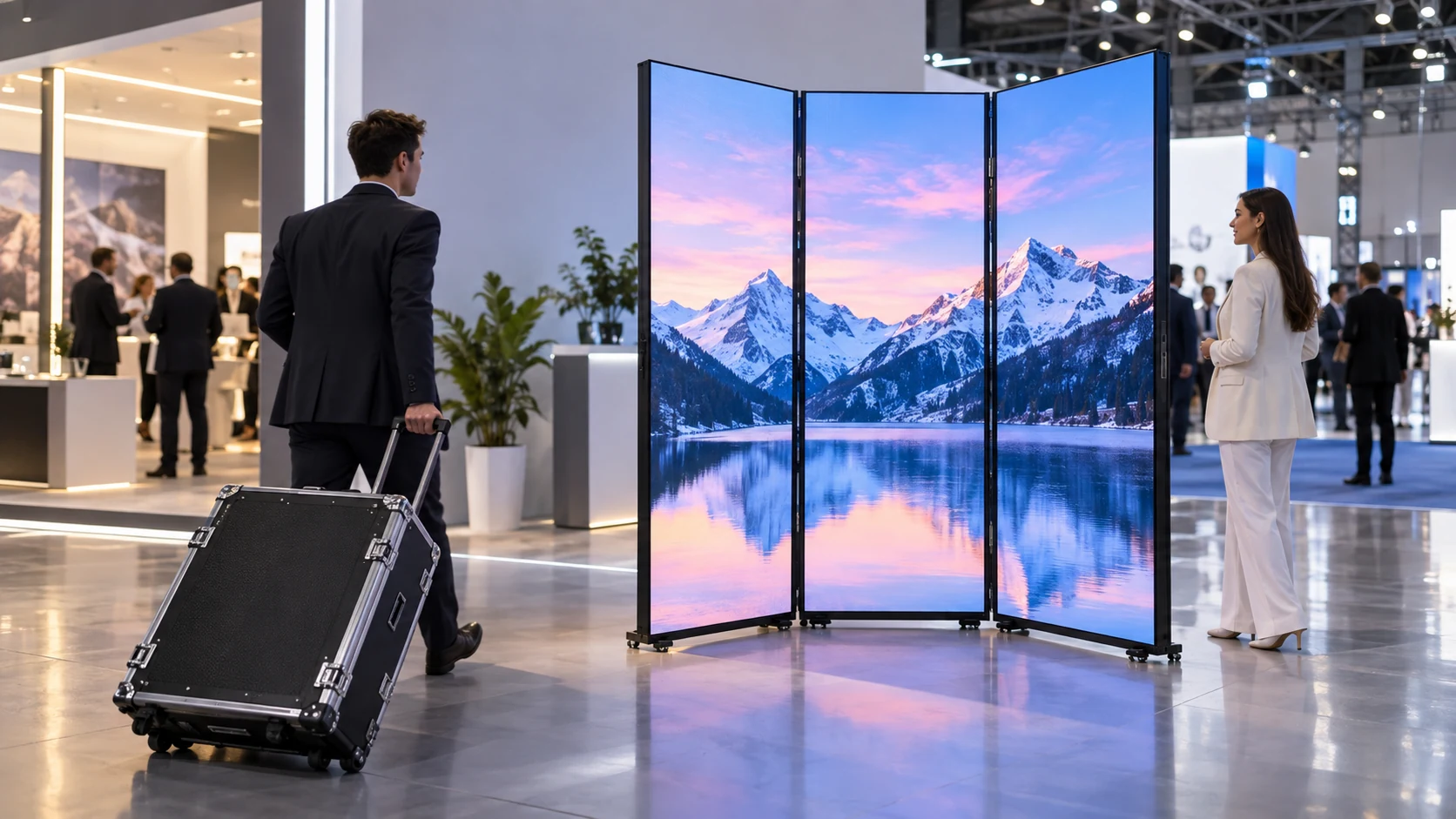
A three-folding LED poster solves a practical event problem: a large advertising surface can be moved between venues without shipping it at its full expanded width. Folding, however, creates new failure points at hinges, panel edges, wheels, and cable transitions. A buyer evaluating this format should look beyond how compactly the unit packs and ask how the screen behaves after repeated loading, unloading, unfolding, and storage. The goal is to keep the display visually consistent while reducing transport damage and setup time.   图片: 03_Three_Folding_LED_Poster_01_cover Which Parts Are Most Exposed During Frequent Transport? The highest-risk points are not necessarily the LED chips themselves. Doorways, loading ramps, and narrow exhibition aisles expose the folded unit to impacts at its corners and frame. Rolling over uneven ground puts stress on the casters and lower chassis, while poor packaging allows the panels to rub against each other. How Should Buyers Inspect Hinges and Panel Edges? Ask how the three sections lock in the folded and expanded positions. Inspect hinge play, mechanical stops, cable clearances, and edge protection. Repeated folding should not pinch power or data wiring. Before approving a sample, fold and unfold the unit according to the supplier’s instructions several times, then check for loose fasteners, a changing panel gap, or pixels that fail only when the hinge moves. Why Do Casters and Handles Matter? A wheel that catches on a loading ramp can tip the entire screen. Check caster capacity, brake function, movement over the actual venue thresholds, and the location of handles used to control the unit. The transport procedure should state whether the screen can be rolled on exterior paving or must be placed on a trolley. Do not assume mobility in a showroom proves suitability for a rough loading dock. What Should a Transport Case Protect? A successful case protects the unit in its folded position while allowing crews to move it without pressing against the display surface. Packing material should support the structural frame rather than applying concentrated pressure to the LED face. The case must also protect the power inlet, data ports, hinges, and rolling base.   How Can a Drop and Vibration Risk Be Reduced? Request the unit’s transport orientation, tie-down points, center of gravity, and any tested packing method. Keep heavy accessories from moving inside the same compartment. A practical receiving inspection after delivery should look for bent corners, case dents, displaced foam, loose connectors, and signs that the unit traveled in an unsupported position. Do not publish a claimed drop rating unless a test report identifies the actual packed configuration. What Does the Manufacturer’s Folding Format Change? Longcheng’s three-folding indoor LED poster screen listing describes an expanded size of 1280 × 2070 mm and folded size of 640 × 2070 mm, along with wheels, double-sided display capability, and GOB-protected panels. These listed dimensions illustrate why transport planning changes between the open and closed states. Confirm the exact unit and crate dimensions on the purchase drawing; accessories and protective packaging may add width and weight. How Should the Screen Be Set Up at Each Venue? A predictable setup procedure prevents a damaged panel from being discovered only after the audience arrives. Assign a defined path from the loading area to the final location, agree on a level standing surface, and keep the hinge movement zone clear of other equipment. What Order Should the Crew Follow? Park the unit, engage brakes or stabilizers as specified, release transport locks, then expand the sections using the approved handles. Inspect the seam before energizing the screen. Power and data connections should be routed where they cannot be snagged by passersby. The display should not be moved while powered if the product instructions prohibit it.   How Can Display Defects Be Found Quickly? Use a short acceptance sequence with full-white, low-gray, red, green, blue, and normal video content. Record a photograph at a consistent camera position after each deployment. If an intermittent line appears only near a folding joint, examine the approved cable and connector path before replacing unrelated modules. Store the correct screen configuration file with the inventory record. How Does GOB Protection Change the Maintenance Plan? A protective surface can reduce some incidental contact damage, but it does not protect the entire moving assembly. Hinge mechanisms, connectors, wheel brackets, and cabinet joints still need scheduled inspection. The repair process also depends on whether the quoted panel can be serviced at module level or requires a larger replacement assembly. Which Wear Patterns Should Be Logged? Track surface marks, corner chips, drifting seam gaps, locking resistance, caster damage, and cable strain. Record the number of deployments and the last inspection date for each numbered unit. An issue that returns after every trip may indicate packaging or handling rather than a production defect.   What Should Be Included in the Lifecycle Budget? Compare a complete transport package: protective case, setup crew, freight volume, spare connectors, maintenance labor, and downtime when one poster cannot be used. A smaller folded footprint may save space, but those savings should be measured against the costs of protecting and servicing the mechanism. The related LED display service process describes parts replacement options, not an assurance that all folding damage is covered. What Should Be Verified Before a Bulk Order? Request an unfolded and folded drawing, complete packed dimensions, screen weight, tested hinge and wheel specifications, packing instructions, approved service method, and a repeatable factory inspection checklist. A pilot involving several full transport and setup cycles is more useful than a single showroom unfolding demonstration. Longcheng publishes the folding format within its creative LED display range. Use the product listing to shortlist the screen, then approve the exact quotation against a signed transport and setup test. For future changes to the LED face, compatible replacement parts should be recorded before the first shipment. Conclusion Transport damage is best reduced through a complete handling system, not one extra layer of foam. Verify hinge movement, edge and connector protection, caster behavior, proper case support, and a repeatable setup test. When the same checks are recorded after every venue move, buyers can distinguish wear from isolated defects and protect the useful life of the folding poster. FAQs Can a three-folding LED poster be shipped without a protective case? Only if the supplier approves another tested transport method. The folded panels and connectors still need protection against pressure, movement, and impact. Does GOB protection eliminate hinge-related failures? No. Surface protection does not replace inspection of hinges, locking parts, cable transitions, and the moving base. What is the quickest post-transport display check? Inspect the mechanical joints and connectors, then run a brief image test using solid colors, low gray, and the intended campaign content before opening the venue.
Read More
Three-Folding LED Poster Screens How Can Buyers Reduce Transport and Setup Damage

8/ October

Taxi Top LED Screens: What Should Fleet Operators Check Before Installation?

A taxi-top LED screen turns a vehicle into a moving advertising asset, but the operating demands differ sharply from those of a fixed billboard. Drivers start and stop throughout the day, cars sit in traffic under hot sun, and the screen has to remain secure while the vehicle moves. Fleet operators therefore need an installation specification that covers the vehicle, the sign, and the advertising workflow together. A successful pilot should prove that the display is readable and serviceable without creating electrical, mounting, or operational problems for the taxi.   What Should Be Checked on the Vehicle Before Ordering? Begin with the exact vehicle models in the fleet. Roof shape, attachment points, available electrical capacity, parking height, and the route used for cable entry are not interchangeable between sedans and larger vehicles. A sample sign on one car is more informative than approving an installation from a catalogue rendering. How Can Mounting and Clearance Be Verified? Ask the installer for a vehicle-specific mounting drawing that identifies attachment hardware, fastener locking, the roof load path, and the method used to protect the finish. The design should account for braking, vibration, wind loading, and repeated car washes. Before fitting a fleet, measure total installed height and check garages, taxi ranks, parking structures, and local vehicle rules. Do not infer that an advertised waterproof enclosure has been approved for a particular vehicle or road jurisdiction.   Which Fleet Details Affect the Pilot? Use the vehicle with the least generous roof geometry or electrical margin as the first test case. Document the installed weight, cable entry location, fastener torque specified by the mounting supplier, and safe removal method. After the pilot has completed normal routes, inspect the roof seal, mount, connectors, and adjacent paint for wear. How Should the LED Screen Be Powered Without Disrupting the Taxi? Power is often the largest hidden operating variable. A stationary advertising display can be fed from a dedicated circuit; a taxi sign shares an electrical system with essential vehicle loads. The display must never interfere with starting, lighting, safety equipment, or the manufacturer’s electrical protections. What Power Data Should the Supplier Provide? Request the sign’s actual input-voltage range, maximum and typical power draw, startup or inrush behavior, and required protection. The vehicle installer should then verify the alternator, battery, wiring, fuses, grounding, and voltage behavior at idle. If the sign uses a DC-DC converter or separate supply, specify the approved wiring layout rather than improvising taps into an existing vehicle circuit. Why Does Parked-Vehicle Operation Matter? Consider a taxi that waits at an airport for several hours. A sign left active when the engine is off could deplete the starting battery. The fleet needs a tested shutoff or low-voltage strategy, a defined operating schedule, and a recovery procedure if a device fails to switch off. Test the configuration after repeated short trips and idle periods, not just during a brief workshop demonstration. What Environmental and Visibility Checks Belong in a Trial? Outdoor exposure combines water, road grime, heat, UV, and vibration. The taxi-top LED screen listing on Longcheng’s Creative LED Display page includes double-sided P2.5, P3.076, and P4 options. Those options are product information, not substitutes for verifying the exact enclosure, brightness behavior, mount, and electrical assembly supplied for the job. How Should Rain, Heat, and Cleaning Be Tested? Check the stated ingress-protection rating for the complete assembled sign, including cable glands and connectors. Ask where condensation drains, whether the enclosure needs airflow, and how service covers reseal after replacement. A test route should include rain or wet-cleaning exposure and a hot stationary period. Inspect for fogging, loose seals, abnormal temperature, and cable rubbing afterward. What Makes an Advertising Message Readable? Judge text from realistic pedestrian and traffic viewing distances. Brightness should be assessed in daylight and at night, with dimming behavior set to avoid excessive glare. Short messages and large type are easier to read than dense price lists. Local authorities may restrict moving graphics, colors, or displays visible to drivers; obtain the relevant approval before planning a campaign. How Can a Fleet Rollout Avoid Content and Maintenance Problems? A screen that works on one taxi can still fail as a fleet product if every software update or repair requires the vehicle to return to a central depot. Define ownership of content, a device inventory, and a fault route before the first batch is delivered. What Should Be Tested in the Content System? Verify the actual Wi-Fi or other communication option fitted to the quoted unit. Test updates after network loss, image recovery after a power interruption, remote scheduling, and what happens when outdated content cannot be replaced. Record a unique device ID and vehicle ID for each installation so a failed screen can be located without relying on its advertising appearance.   How Should Rollout Costs Be Compared? Compare the complete installed cost per car, including brackets, wiring, labor, downtime during fitting, data connectivity, cleaning, service visits, and spare assemblies. A practical pilot might fit five taxis for several normal operating weeks before a larger order; this is an illustrative trial size, not a failure-rate claim. Measure actual technician time, vehicle downtime, and update success, then revise the fleet budget using those results. What Should Buyers Request Before Approving Production? The request for quotation should identify each vehicle model, annual operating conditions, required display sides, viewing distance, power architecture, mounting drawing, content-management method, and local approval requirements. Ask the supplier and vehicle installer to agree on a signed pilot acceptance record covering attachment security, electrical isolation, ingress checks, and service access.   Longcheng provides LED display product information that can help buyers shortlist a sign; the complete configuration should still be approved against the vehicle-specific installation drawing. Its broader outdoor display applications content can supply context, but vehicle mounting and power remain separate engineering decisions. Conclusion A taxi-top LED display is ready for rollout only when the vehicle, mounting hardware, power system, enclosure, content workflow, and servicing plan have been tested together. Start with representative vehicles, record real operating results, and resolve repeated faults before placing a fleet-scale order. That sequence protects both the vehicle operation and the advertising uptime. FAQs Can one taxi-top LED screen fit every car model? Not automatically. Roof geometry, mounting points, electrical capacity, and legal clearance can vary. Approve the complete installation separately for each vehicle type. Should a taxi-top display keep running when the engine is off? Only if the approved electrical design provides adequate battery protection and the fleet has tested parked-vehicle operation. An automatic shutoff may be necessary. What is the first acceptance test for a new fleet? Use a representative vehicle and check mounting security, wiring, readability, water exposure, content updates, and the time needed to isolate and repair a fault.
Read More
Taxi Top LED Screens What Should Fleet Operators Check Before Installation

2/ October

LED Module Replacement: How Can You Restore Brightness and Color Uniformity After Repair?

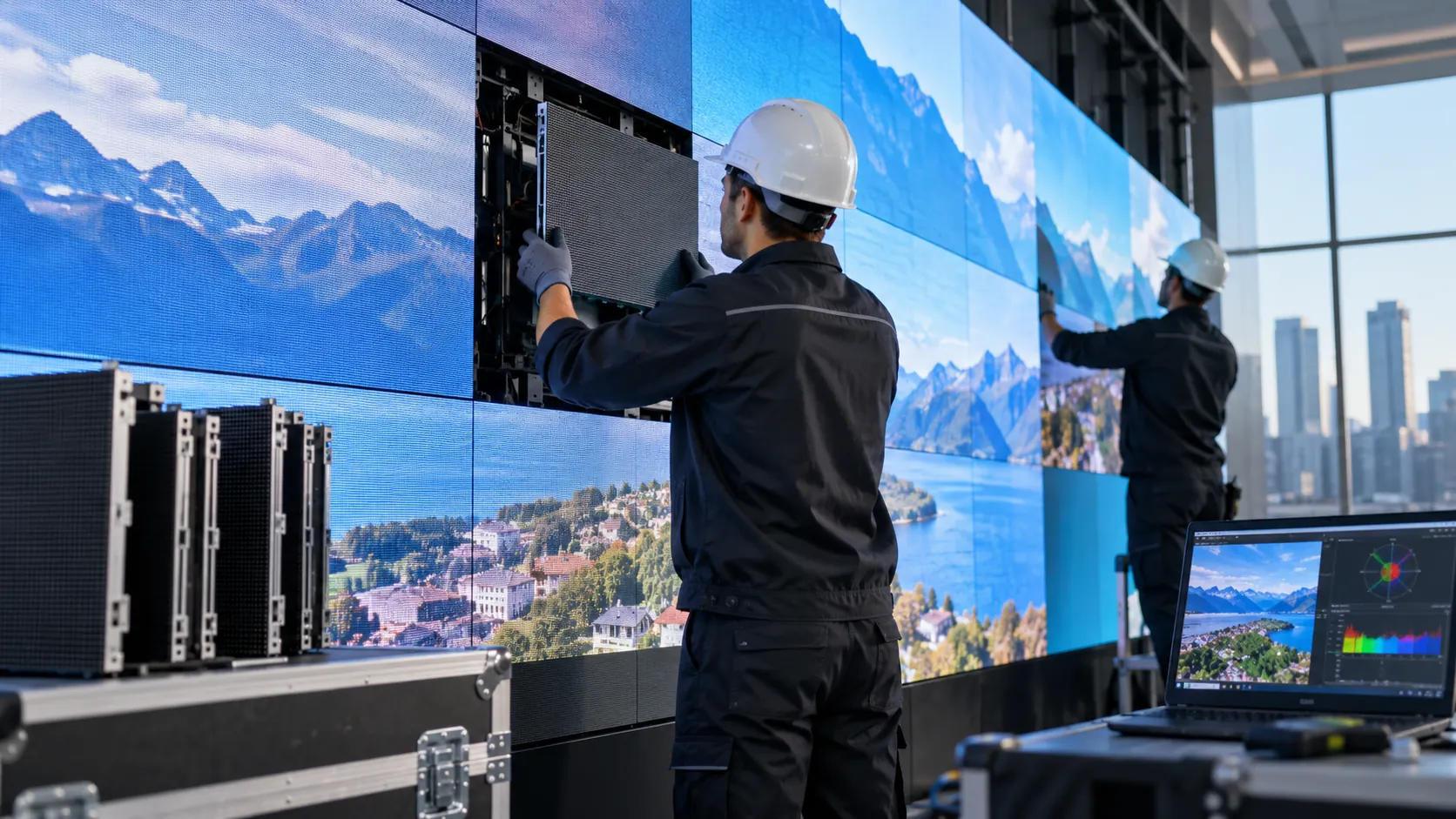
A replacement LED module may be electrically compatible with an existing screen yet still create a visible rectangle of different brightness or color. The mismatch is often most obvious on white, gray, and low-brightness backgrounds after the repair is complete. Before a technician adjusts settings or orders another module, the fault should be separated into hardware matching, saved calibration data, operating conditions, and local aging of the surrounding screen. A structured post-repair check helps restore a consistent image without masking an underlying compatibility problem.   Why Can a New Module Look Different from the Existing Screen? The new component and the installed modules may come from different LED batches or use revised driver parts, masks, or optical treatments. Existing LEDs may also have changed after years of operation. Matching only pixel pitch and physical size therefore does not guarantee the same gray scale, chromaticity, or perceived brightness. Which Hardware Details Must Match First? Confirm the module’s actual part number, PCB revision, pixel resolution, scan mode, operating voltage, connector pinout, driver IC, LED package, and orientation. If these differ, a calibration adjustment may not resolve the underlying fault. The LED display module range lists multiple pitches and module formats; buyers should obtain the bill of materials for the exact installed cabinet before selecting a replacement.   Why Does Screen Age Matter? A brand-new module can appear brighter than neighboring modules that have accumulated many operating hours. That does not by itself prove the new part is defective. Record the operating history, typical brightness settings, and any previous repairs, then compare the replacement under a stable test pattern rather than a moving advertisement. What Should Be Checked Before Changing Calibration Values? Many apparent color faults originate in configuration or wiring. A replacement may arrive with a different mapping file, channel order, receiving-card setting, or stored calibration profile. Changing global screen settings too early can make the rest of the wall worse. How Can the Technician Isolate the Fault? Start with power and signal connectors, cabinet mapping, and the module’s orientation. Display red, green, blue, full white, mid-gray, and low-gray test images at stable brightness. Record whether the boundary follows the new module, an entire cabinet, or a receiving-card output. If the anomaly expands beyond the replaced module, inspect upstream electronics before changing module-specific correction data. Which Reference Files Should Be Preserved? Back up the working screen configuration and existing calibration before installing new corrections. Keep the original receiving-card and module files, installation date, batch, and adjustment history. If factory calibration files are not available, document the local measurement workflow and the equipment used. Avoid overwriting the only known-good configuration. How Can Brightness and Color Be Matched Methodically? Calibration aims to reduce the visible difference under the actual operating conditions. A camera photograph can help locate a defect, but automatic exposure and white balance make it a weak instrument for measuring luminance or chromaticity. A suitable display measurement device and the compatible control software are preferable where precise matching is required. What Test Sequence Gives Useful Results? Allow the display to reach a stable operating temperature, set the agreed brightness, and use uniform patches. Check white balance first, then mid-gray and low-gray response, and finally real campaign material. Compare the repaired area with immediately adjacent modules and a wider reference area. If a consistent adjustment cannot be achieved across the range, revisit the hardware match instead of forcing the white point alone.   How Should an Illustrative Mismatch Be Diagnosed? Imagine a screen where the new module looks similar to its neighbors on a bright white image but forms a dark rectangle at low gray. This is an illustrative failure scenario, not a reported customer installation. The next step is to check low-gray drive behavior, scan compatibility, and the saved correction profile. A single successful full-white photograph is not enough to sign off the repair. When Is Recalibration Not Enough? If a different LED package, driver configuration, or optical mask produces an irreducible mismatch, an exact-batch or matched replacement may be necessary. A technician should also look for aging differences across the full screen; replacing one module does not reverse changes in adjacent parts. How Can Spare-Parts Planning Prevent This Problem? Keep compatible spare modules from the original order where practical and record their batch and calibration information. A previous spare LED module planning guide explains inventory quantities; the repair procedure should additionally define visual acceptance after installation. Store measured reference images and setup files with the spare-parts record. What Should Be Included in the Acceptance Report? Document the replacement part and batch, the configuration version, ambient and operating conditions, before-and-after photographs, measurement method, uniform test images, and approval by the screen operator. Inspect multiple viewing angles and the actual content. A meaningful sign-off describes what was tested, not merely that the replacement lights up.   How Should Buyers Specify a Repairable LED Display? The purchase specification should include access method, calibration-data ownership, module identification, a replacement workflow, and compatible spare stock. Those items affect downtime and long-term visual consistency as much as headline brightness or pitch. When a module fails, Longcheng provides a documented fault-handling route for component-level repair and replacement; the project team must still retain configuration files and agree the post-repair visual acceptance standard. Conclusion Restoring uniformity after an LED module replacement requires an ordered diagnosis: verify the hardware, protect configuration files, test multiple brightness levels, and calibrate only with the right reference conditions. A repair is complete when the replacement behaves consistently with the surrounding screen in both test patterns and normal content, not simply when it can display an image. FAQs Why does a replacement LED module look brighter than nearby modules? It may come from a different batch or be newer than the surrounding screen. Check compatible specifications, operating hours, and stored calibration before adjusting brightness. Can calibration fix every color mismatch? No. Incompatible LED packages, drivers, masks, or scan settings may cause differences that software adjustments cannot remove. What should be saved before replacing an LED module? Save the configuration and calibration files, module model, PCB revision, batch, cabinet position, and a reference set of test-pattern images.
Read More
LED Module Replacement How Can You Restore Brightness and Color Uniformity After Repair

1/ October

LED Dance Floor Safety: How Can Buyers Verify Load Capacity, Slip Resistance, and Durability?

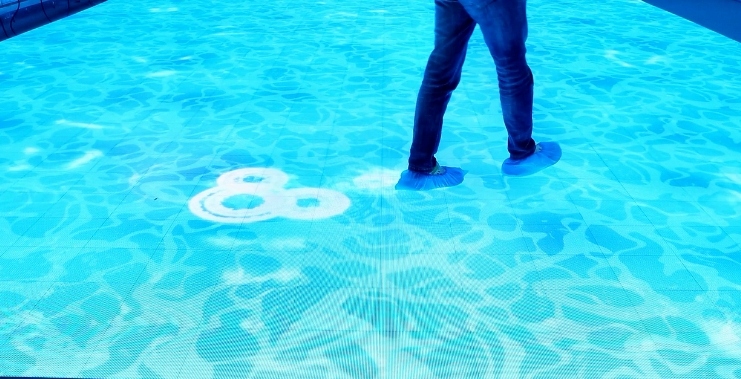
An LED dance floor has a different failure profile from a wall-mounted display: people stand, walk, turn, and dance directly on its surface. The buyer must evaluate the finished walking surface and its supporting installation, not only LED brightness or video quality. A floor that looks flawless in a showroom may behave differently when several guests gather near one tile edge, a drink spills, or a rental crew assembles it on an uneven venue floor. The procurement goal is a documented, repeatable acceptance procedure for the intended event conditions.   What Does a Load-Capacity Claim Actually Tell You? A single headline load figure is insufficient unless the test method is known. A floor panel may respond differently to evenly distributed weight, a concentrated heel, a small wheel, or repeated jumping. Buyers need the tested assembly configuration and the limits for the complete installed system. Which Evidence Should Be Requested? Request a manufacturer test report identifying specimen dimensions, surface plate, support frame, test loads, load locations, duration, and acceptance criteria. Ask whether tests covered both the tile center and edges, including the connector area. The installation drawing should show how loads pass through the top plate into the base rather than into cables or electronics. Do not treat a marketing description such as “high load-bearing” as an independent safety certification.   Why Are Dynamic and Point Loads Different? A dance floor may carry dozens of moving guests while also receiving brief local impacts from shoes, heels, furniture, or equipment. A flat, evenly distributed test does not establish resistance to all these cases. The venue engineer should decide which loading scenarios are relevant, then compare them with the supplier’s documented limits and the local requirements for public assembly spaces. How Should Slip Resistance Be Evaluated on the Finished Surface? Slip behavior depends on footwear, cleaning products, liquid exposure, and the top-layer texture. A surface that feels secure when dry may become hazardous after condensation or a drink spill. The relevant question is whether the installed floor maintains acceptable traction under the venue’s actual use and cleaning conditions. What Should a Sample Evaluation Include? Request the stated surface material and any applicable slip-test report, with the standard and conditions identified. Test the approved sample with representative footwear and the venue’s planned cleaning regime. Check transitions between illuminated panels and ordinary flooring, where a small height difference or raised trim can create a separate trip risk. Avoid publishing an unverified coefficient of friction or claiming that every GOB or tempered surface is inherently slip-proof. How Should Spills Be Handled? Confirm the product’s actual wet-use and ingress ratings, including joints, plugs, and underside components. Provide a procedure for isolating the floor, removing liquid, and reopening it only after an inspection. Surface slip resistance and electrical water protection are distinct properties; passing one check does not prove the other. What Installation Details Can Cause Early Damage? Even a robust tile can crack, rock, or loosen if installed over an uneven support. Modular units need a flat, load-bearing base, aligned connecting hardware, and a protected cable route. During initial assembly, look for sharp height steps, unsupported corners, trapped cable loops, and panels that move under foot pressure. How Can Edge and Seam Problems Be Found? Walk the whole floor before the event while observing joints from several directions. Inspect trim at entry points, tile locking, and any areas near stages or bars where equipment may be rolled across the surface. If the design permits wheelchair or cart access, have the venue team verify the correct load and transition requirements for those wheels. Never infer accessibility or rated rolling load from static panel strength alone.   How Should Rental Equipment Be Inspected After Transport? Separate damaged tiles before setup, checking top plates, corners, latches, electrical connectors, and underside supports. A panel that powers on may still have structural damage. Make the inspection record panel-specific so recurring defects can be traced to handling, packing, or the same transport case. How Can Buyers Verify Durability Before a Bulk Order? Longcheng’s discussion of LED dance floor rental operations mentions load bearing and anti-skid treatment, but does not establish a universal load or slip rating for every project. Ask for the exact interactive LED dance floor configuration being quoted and its complete test evidence before accepting a large shipment. What Should the Acceptance Test Measure? Agree a sample build and perform repeatable checks: panel rocking, visible deflection, seam alignment, surface scratches, display operation, and post-test connector condition. Test the surface both clean and after the venue’s approved cleaning procedure. Record photographs and compare results with written acceptance limits agreed with the supplier and installer, rather than judging success from a demonstration video alone.   What Is a Useful Realistic Scenario? Imagine a wedding venue where a tile near the entrance begins to rock after repeated setup and teardown. The visible problem might be a worn latch, uneven subfloor, or damaged support—not a failed LED module. This is an illustrative troubleshooting scenario, not a documented customer case. It shows why the site team should inspect the entire floor assembly before ordering a replacement display panel. Which Documents Should Accompany Delivery and Handover? Request panel identification, handling limits, lifting and storage instructions, the approved electrical layout, the installation drawing, cleaning instructions, and a clear stop-use procedure. Keep an inspection record for each event and identify who can approve reopening after a defect is repaired. Longcheng lists commercial LED solutions, but the buyer must obtain project-specific load, slip, and electrical evidence for the finished system. Its published fault-handling process can help identify the route for component replacement; structural safety decisions must remain with the responsible installer and venue team. Conclusion An LED dance floor is ready for use when the complete installed surface—not merely an individual illuminated tile—has documented load limits, acceptable traction, aligned joints, protected wiring, and a repeatable inspection procedure. A sample installation and clear acceptance record make procurement decisions more defensible and help prevent avoidable event shutdowns. FAQs Does a high load rating guarantee an LED floor is safe for dancing? No. Buyers must also evaluate point and dynamic loads, support conditions, joint alignment, surface traction, and the applicable venue requirements. Can an LED dance floor be used after a drink spills on it? Only after the approved spill procedure has been followed and the floor has been inspected. The exact response depends on the product’s wet-use rating and installation. What should be checked before every rental event? Inspect top plates, latches, support frames, connectors, cable routes, floor level, and transition edges, then record any damaged panel that is removed from service.
Read More
LED Dance Floor Safety How Can Buyers Verify Load Capacity, Slip Resistance, and Durability

Our Brand

Colorlight logo
G-ENERGY
kinglight
Mean well
nationstar
Nova
Rayshine
Home
WhatsApp
Email
Contacts