
Nullam dignissim, ante scelerisque the is euismod fermentum odio sem semper the is erat, a feugiat leo urna eget eros. Duis Aenean a imperdiet risus.
Nullam dignissim, ante scelerisque the is euismod fermentum odio sem semper the is erat, a feugiat leo urna eget eros. Duis Aenean a imperdiet risus.
 author
The native pixel canvas of the entire screen defines a 4K indoor LED wall. It is not just about the label on a single cabinet. In typical corporate, retail, control-room, studio, and home-cinema setups, 4K UHD translates to 3840 × 2160 pixels. This creates 8,294,400 total pixels within a 16:9 format. Market demand continues to grow. Mordor Intelligence estimated the global LED display market at USD 19.67 billion for 2025. Buyers should understand their layout needs before asking for a quote. They must figure out how many 640 × 480 mm cabinets are necessary when using P1.25, P1.53, P1.86, P2, P2.5, or P3 modules.

The source signal, the native LED resolution, and the physical screen ratio represent three distinct specifications. A video processor might take a 4K HDMI signal. However, the actual LED wall could feature a higher or lower native pixel count.
No, they are different. The standard pixel count for 4K UHD is 3840 × 2160. An LED wall with a lower resolution has to shrink the source image. Meanwhile, a higher-resolution setup stretches or maps the image across a bigger native canvas. Achieving pixel-perfect 4K demands exactly 3840 horizontal pixels and 2160 vertical pixels.
Every 640 × 480 mm LED cabinet features a 4:3 physical aspect ratio. You must combine these units properly to build a standard 16:9 screen. The overall cabinet-count ratio usually needs to be 4:3. Good examples include 8 × 6, 12 × 9, 16 × 12, or 20 × 15 layouts.

The chosen pixel pitch dictates the total pixels inside every cabinet. Manufacturers sometimes round off nominal pitch names like P1.53 and P3. Therefore, buyers must verify the precise module resolution. They should also check the receiving-card setup before manufacturing begins.Use this LED cabinet calculator to estimate how many 640 × 480 mm cabinets a 4K indoor LED wall requires at each pixel pitch.
Apply this simple LED cabinet calculation method:
If you need a standard 16:9 physical screen, tweak your final numbers to fit a 4:3 cabinet-count ratio.
A single 640 × 480 mm P2 LED cabinet holds 320 × 240 pixels:
This completed P2 LED video wall spans 7.68 × 4.32 meters. It delivers a precise native resolution of 3840 × 2160. Out of all the listed pixel pitches, P2 provides the most straightforward pixel-perfect 4K setup.
The following table outlines standard native cabinet matrices for 640 × 480 mm fine-pitch LED cabinets. Every suggested grid builds a full 16:9 wall. These layouts will meet or surpass true 4K resolution. You must always verify these final numbers against your specific LED module details.
| Pixel Pitch | Pixels per Cabinet | Cabinet Grid | Total Cabinets | Native Resolution | Screen Size |
| P1.25 | 512 × 384 | 8 × 6 | 48 | 4096 × 2304 | 5.12 × 2.88 m |
| P1.53 | 416 × 312 | 12 × 9 | 108 | 4992 × 2808 | 7.68 × 4.32 m |
| P1.86 | 344 × 258 | 12 × 9 | 108 | 4128 × 2322 | 7.68 × 4.32 m |
| P2 | 320 × 240 | 12 × 9 | 108 | 3840 × 2160 | 7.68 × 4.32 m |
| P2.5 | 256 × 192 | 16 × 12 | 192 | 4096 × 2304 | 10.24 × 5.76 m |
| P3.07 | 208 × 156 | 20 × 15 | 300 | 4160 × 2340 | 12.80 × 7.20 m |
A tighter pixel pitch packs more pixels into the exact same cabinet space. For instance, a P1.25 indoor LED screen surpasses 4K using just 48 cabinets. On the other hand, a P3 screen needs a significantly bigger physical footprint to hold the required pixel count.
Still, the finest pitch is not always your smartest financial move. A corporate boardroom might show detailed spreadsheets, financial charts, or video calls. That environment easily justifies a P1.25 or P1.53 display. Meanwhile, a large auditorium keeps viewers several meters back. That space will likely see a better return on investment using P2 or P2.5.
Your final choice should carefully balance these factors:
The total cabinet count represents just one piece of your project budget. A comprehensive indoor LED wall quote must cover several other items. These include the video processor, sending and receiving cards, and power distribution systems. You also need to account for the mounting structure, spare modules, shipping fees, installation labor, screen calibration, and future service access.
Shenzhen Longcheng Photoelectrictechnology Co., LTD. provides specific energy estimates for its 640 × 480 mm indoor LED screen series. The average power draw sits around 200 W/m². The maximum consumption reaches roughly 600 W/m².
A 48-cabinet P1.25 wall spans roughly 14.75 m². This setup averages around 2.95 kW in power use. Conversely, a 108-cabinet wall takes up about 33.18 m². It will average roughly 6.64 kW.
You must base your electrical planning on the maximum consumption limits. Do not rely solely on the average draw. The installation team needs to evaluate circuit distribution and room cooling capacity. They should also look at daily operating hours, local electrical codes, and emergency backup power needs.
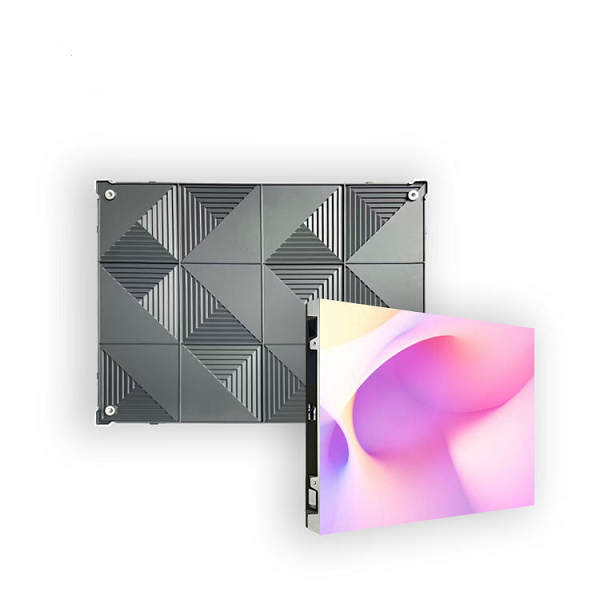
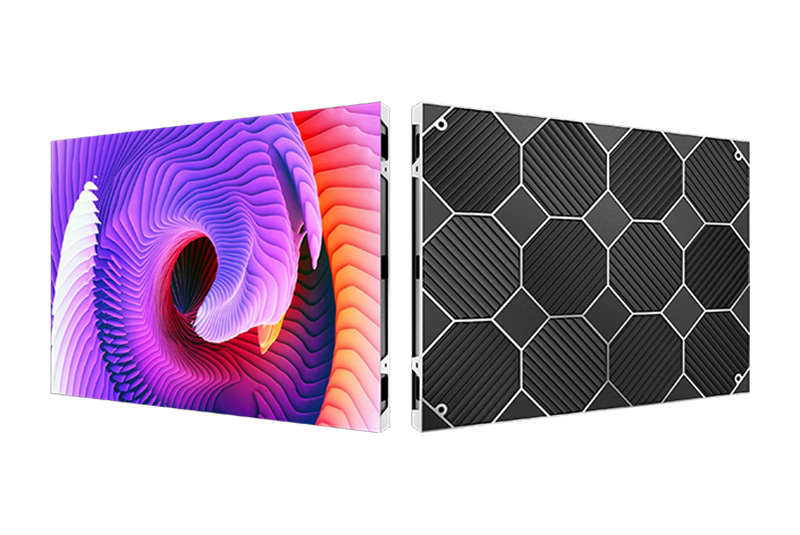
The mentioned 640 × 480 mm cabinet design allows for direct wall mounting. It also features front installation and front maintenance capabilities. This specific layout minimizes the overall installation depth. It completely eliminates the need for a rear service walkway.
This space-saving benefit proves highly valuable in many settings. Conference rooms, retail shops, museums, hotel lobbies, and control centers all benefit. In these locations, every square meter of floor space holds real commercial value.
Always check these details prior to installation:
Front access designs often reduce maintenance labor and system downtime. However, this only works if the mounting frame provides adequate clearance for your service tools.

Publicly shared LED display case studies offer great value. They work best when they detail the specific application and pixel pitch. Simply showing photos of a finished screen is not enough.
The project portfolio from Shenzhen Longcheng Photoelectrictechnology Co., LTD. highlights several impressive setups. One example is a P1.2 4K LED video wall inside a municipal data monitoring center. Another is a P1.5 display at a property registration office. They also feature a P1.53 indoor LED wall within a modern digital exhibition hall.
In these environments, operators and guests must read complex dashboards and maps. They also look at tiny labels, dense numerical data, and intricate graphics from close range. These scenarios clearly demonstrate why buyers pick fine-pitch LED displays. They are the top choice for command centers, exhibition spaces, corporate boardrooms, and data visualization hubs.
These public case studies usually omit the exact cabinet counts or total screen dimensions. Because of this, every new project demands a fresh set of calculations. You must base these on the final module resolution and the expected viewing distance. The planned content format and architectural blueprints also play a huge role.

A trustworthy indoor LED screen vendor must offer more than just a basic price per square meter. Customers require precise pixel math and detailed cabinet layout blueprints. They also need compatible control gear, properly calibrated spare modules, full testing logs, and fast technical support.
Shenzhen Longcheng Photoelectrictechnology Co., LTD. was founded in Shenzhen back in 2013. The company produces small-pixel-pitch LED modules. They also build comprehensive indoor and outdoor LED display systems.
Their 640 × 480 mm indoor LED screen lineup includes P1.25, P1.53, P1.86, P2, P2.5, and P3 models. These products handle high-refresh rates, allow for front service, and support direct wall mounting. The manufacturer notes that all LED display units pass a strict 72-hour testing phase. Furthermore, they have shipped equipment to over 120 different countries and regions.
Prior to placing an order, buyers must ask for a customized cabinet layout. They should also request a native resolution document, a power consumption schedule, and a control-system diagram. It is equally important to secure a spare-parts list, a clear calibration plan, and formal written warranty terms.
Start by dividing your 4K resolution goal by the native pixel count of a single cabinet. Next, round that number up. Finally, verify your physical aspect ratio. When using 640 × 480 mm cabinets, P2 hits an exact 3840 × 2160 resolution. This happens via a 12 × 9 grid that uses 108 cabinets. A P1.25 setup surpasses 4K with merely 48 cabinets. Meanwhile, P2.5 and P3 models will demand much larger screen arrays.
Never pick your pixel pitch based purely on resolution targets. You must match it to the typical viewing distance and the specific content detail. Also, consider any camera usage, the available room space, and your electrical power capacity. Maintenance access and the total cost of ownership are equally critical.
Your finalized engineering drawings must confirm every single cabinet and pixel. They should clearly map out every circuit, signal connection, and maintenance pathway. Make sure this is done before any manufacturing starts.
Yes, they certainly can. An 8 × 6 cabinet grid delivers roughly 4096 × 2304 native pixels. This layout allows a standard 3840 × 2160 source video to be mapped or scaled perfectly onto the screen.
You must configure the video processor to match this native canvas. Buyers need to decide how the content displays. They must choose whether the image should stretch to fill the whole screen or keep pixel-perfect borders.
No, it is not always the cheapest route. A P2 system delivers exact native 4K using 108 cabinets. However, a P1.25 setup needs fewer cabinets and takes up less physical wall space.
The ultimate price tag depends on several variables. These include the cost per square meter, the mounting hardware, and the video processor. Power distribution, installation labor, spare components, and long-term maintenance also affect the budget. Having the lowest cabinet count does not automatically guarantee the lowest overall project cost.
You must supply the available wall width and height. Also, include the minimum viewing distance, the desired resolution, and the specific content type. Do not forget to mention your preferred installation method and the local power standards. Camera requirements, the control-room location, and any maintenance restrictions are also necessary.
Site photos and architectural blueprints provide massive help. They allow the LED screen supplier to spot potential structural or ventilation issues. The vendor can also identify power limitations and cable-routing risks long before they draft the final quotation.












Leave a comments